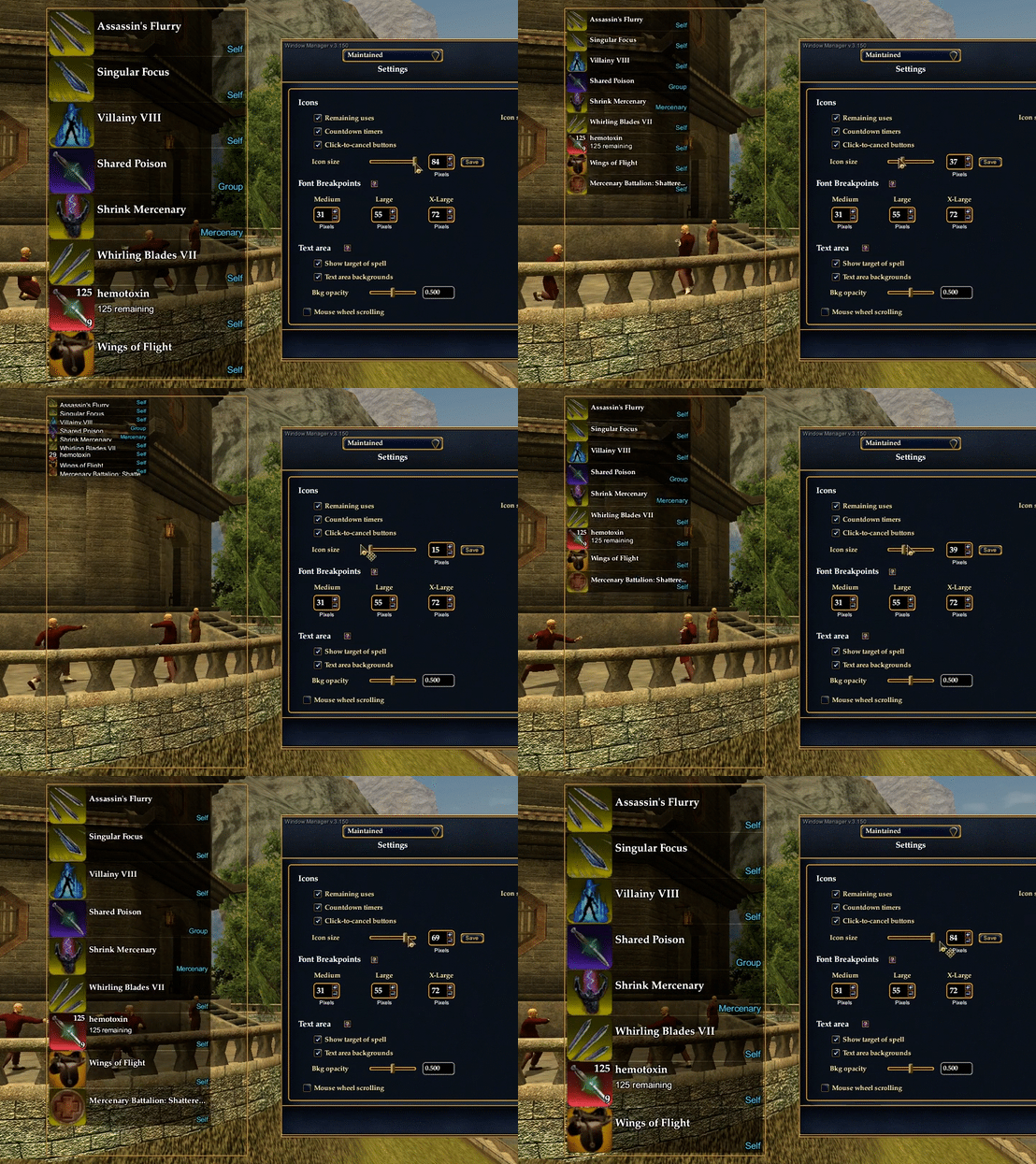
The DarqUI Maintained window is a little bit different from most of our other windows because it doesn't have Normal, Large and X-Large sizes to download separately. It's been designed to resize internally depending on the icon size that you set in Window Manager. I wish all the windows could work like that, but Maintained is one of a few special cases that can gracefully handle internal resizing.
Previously, we had three distinct font groups that would be displayed depending upon the icon size that you selected. Numerical icon overlays as well as spell names, timers, amounts, etc., in the Text Area (those shaded rectangular areas off to the side of the icons) were affected. The not-so-great aspect was that the Text Area tiles did not grow and shrink along with the fonts. So by the time you had a nice large font displayed, spell names and other bits of info were getting severely truncated.
This new version offers a fix for that. We have an extra font size down at the Large end, and as you can see here the Text Area tiles have been redesigned to grow and shrink to match your selections. So all four size increments are more proportionally matched, giving you a more appropriate layout no matter which overall UI size you prefer.
With the default Maintained window you have to right-click a Maintained icon to cancel the spell, but in the heat of battle right-clicking and looking for "Cancel" on the menu is not always optimal. So with DarqUI you have the option to cancel a Maintained effect with a simple left-click. That's much more efficient, but if those left-clicks tend to get you into trouble you can now disable them with a new checkbox.
Thanks to Alderin, one of our 4K members who raised the question in Discord back in the summer. He has also provided very helpful testing and feedback through about four versions and I think he likes the one that's on the server now. Download it and give it a try!