Update 5/4/2021: Group 12 is done! The window group with a secret bonus wasn't chosen this time, but there is an extra item anyway: Guild Bank Settings seemed like a reasonable addition along with the Guild Bank window itself (check out the pic above). The settings window is in the Extras package which has a new version number.
No new features were added to the Guild Bank, so its version number did not change. To get this one, choose L or X from the file list and download it (or choose "Largest available" to get everything in your preferred size all at once.)
Update 5/2/2021: Everything except Guild Bank is done and downloadable. Take a look!
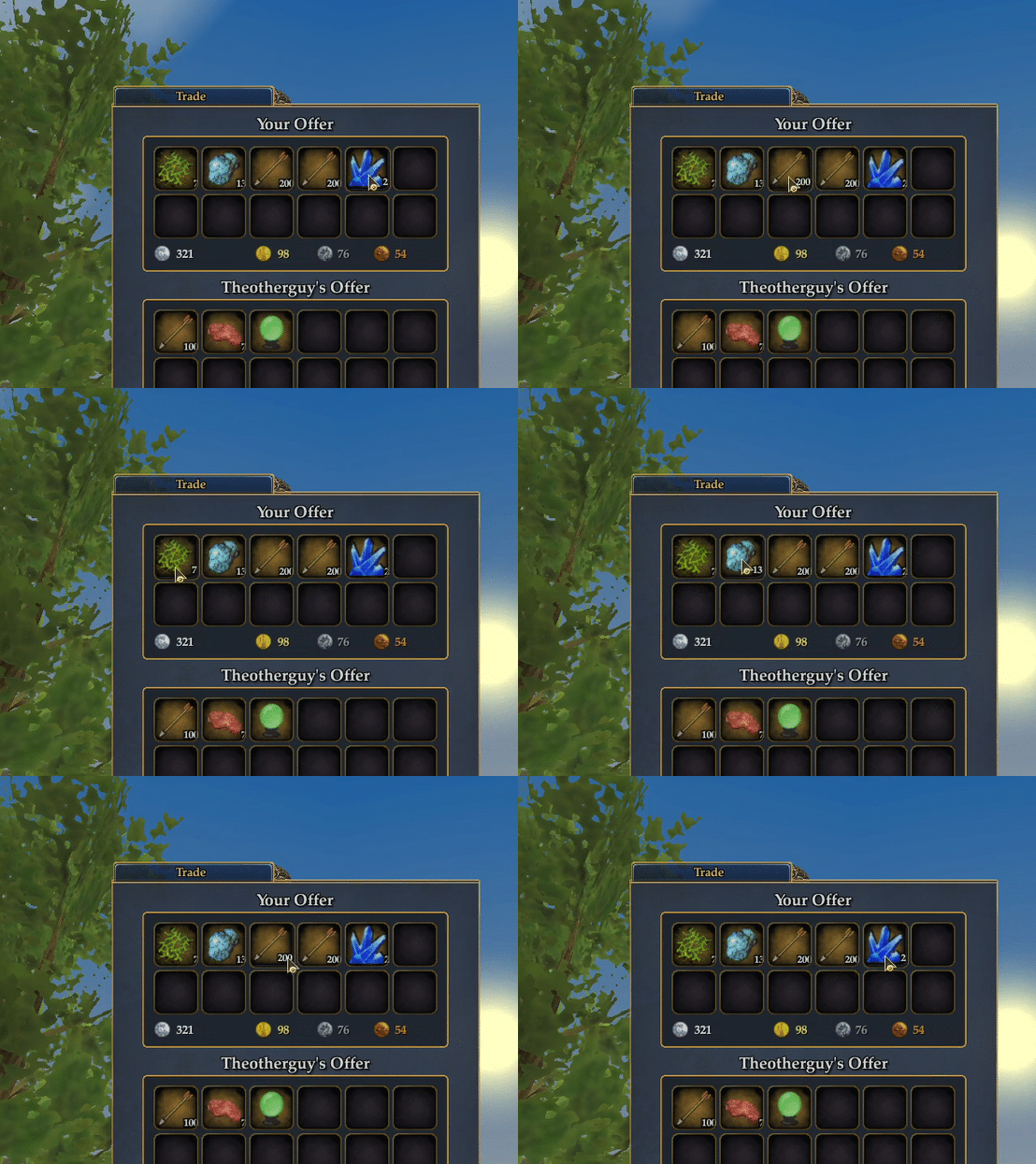
Notes: Components that seem like they should be the simplest to upscale never are. The Trade window uses the infamous inventory icon style which we've encountered in several previous packages. The font size of quantities is hard-coded, and as you know quantity values hug the right-hand edge of the frame way too closely, even in the default UI. Most of the time, the numbers are partially obscured by the frame.
Large and X-Large sizes of the Trade window have a little bit of innovation to get around this issue. I can't legally un-hard-code the font size, so we're stuck with that. But if you mouse over any icon in the Trade window the frame gets out of the way so you can at least see the entire number. Like this:
Update 5/1/2021: Set Prices and Set Prices Status are in the bag, check 'em out!
Poll #12 is done, and once again we have a clear winner! What should we call the winning group -- currency and trade? Maybe it's our extended tax season here in the US that has us thinking about money and commerce. The main Bank window (see pic) is up on the server now, and the others (Guild Bank, Set Prices/Commission Calculator, Status and Trade) will of course follow.
All sizes of the Bank got some attention to accommodate our new font choices. Also, even though we already had a large size bank window it was reworked using a new proportioning method that was developed since it was first published. If you're already using the large size bank window you may not even notice the difference, but it's overall better looking and matches the normal (default) component more accurately.
Don't forget, even if you don't have a high-res monitor, you can still benefit from the Large size option. Large (2K) components are generally upscaled about 30% from the default, while X-Large (4K) are on average about 80% larger.
mike
2025-02-06 17:39:26 +0000 UTCPatrick Wallace
2021-04-29 20:26:04 +0000 UTC