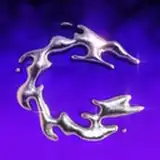
This addon restores the EEVEE bloom removed in 4.2, and adds the effect to Cycles.
Encounter any issues or have suggestions? Refer to the documentation or hit up the HELP channel in our Discord
DISCORDDOCUMENTATIONTag @chrometype if you make anything with GLARE
5. Find BLOOM in the N-panel or Render Tab. Enable the addon by clicking the checkbox at the top

6. Make sure there is enough light in your scene & there are objects to reflect the light. Low roughness materials will react stronger to GLARE
Encounter any issues or have suggestions? Refer to the documentation or hit up the HELP channel in our Discord
Tag @chrometype if you make anything with the addon
Thanks,
tek