Artisan Dragons Avatar PC & Mobile (Gogo Loco + Face tracking)
Added 2024-09-27 03:31:35 +0000 UTC
An adorable male or female artisan dragon 3D Model and VRC avatar!
Celebrate the year of the dragon with these friends!!
These little artisan dragons have been modeled, textured and put together completely from scratch, by me, Estefanoida!
Inspired by two beloved dragon characters, these mini bases are simple, cute, optimized and full of personality <3
They are SDK3, Mobile/Quest optimized, full body compatible and includes ARkit face blendshapes!

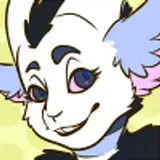
Left (purple): Male variant!
Right (black w pink): Female variant!
Careful choosing which one you want before purchasing! <3
Features included!:
- Artisan Dragons Male and/or Female!
- Magic Breath (Flamethrower) particle effects with hue color change
- 4 Skins for each dragon
- Unity packages, with pre-made menus, prefabs and scenes set up all ready to upload to VRChat
- MMD japanese blendshapes
- 52 ARKit face blendshapes (VRChat set-up needs some extra packages to work!)
- VRM Files for VTubing (Default texture skins)
- Physbones
- Full body tracking
- Gogo-Loco (ver. 1.8.3)
- Wings and Tail puppet controls
- Pre-made facial expressions
- Blender files
- FBX files
- PSDs with wireframe and masks
- Substance Painter files (ver. 9.1.1)
What is NOT included:

How to upload to VRChat video guide~!
If you have issues with your avatar or haven't uploaded something to vrchat in a while, feel free to watch my video guide!
Stats
PC
Male dragon (Good ranking):
Tris: 23k
Materials: 2
Bones: 102
Plus 1 extra material for fire particles!
Female dragon (Good ranking):
Tris: 26k
Materials: 2
Bones: 98
Plus 1 extra material for fire particles!
Mobile
Male dragon (Poor ranking):
Tris: 14.9k
Materials: 2
Bones: 102
Plus 1 extra material for fire particles! (Remove for Medium ranking)
Female dragon (Poor ranking):
Tris: 14.9k
Materials: 2
Bones: 98
Plus 1 extra material for fire particles! (Remove for Medium ranking)

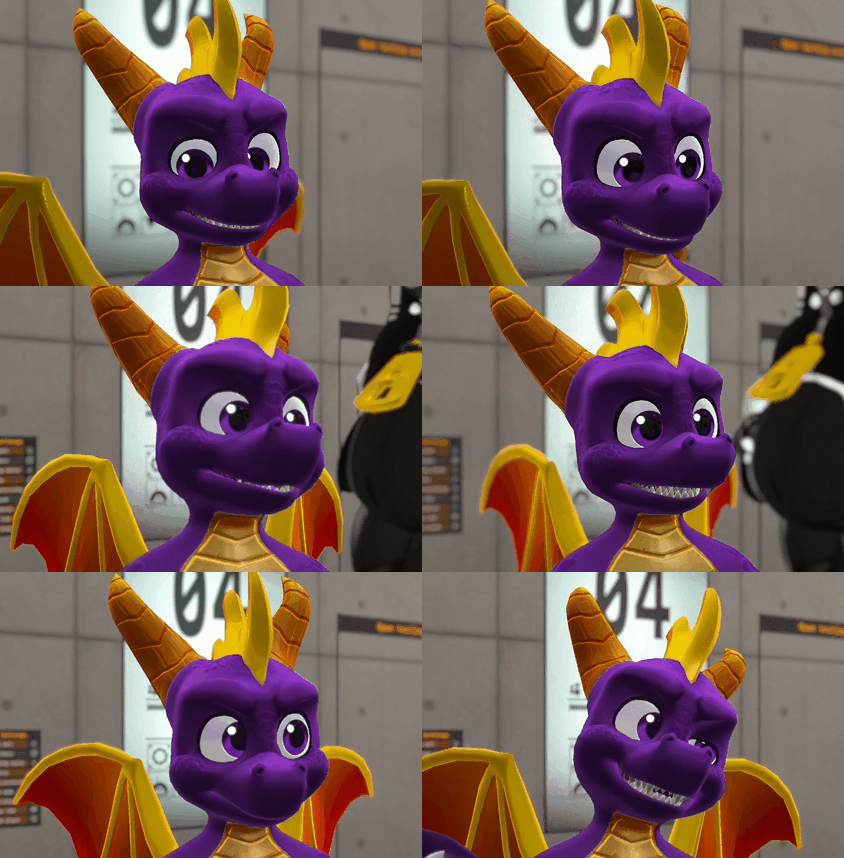
Face tracking for VRChat!?
Video guide~!
These models inlcude ARKit face blendshapes (52 total)
However, you can ONLY use it's face tracking feature within VRChat if you own any compatible VR headsets, or devices that allow you to. In order to upload your avatar with face tracking you need to get:
Jerry's VRCFT TemplatesAs well as
VRCFuryOpen your Vrchat Creator Companion and click on these links, they should open in the VCC to add em to your project manage list.
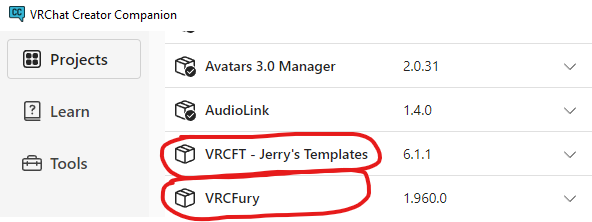
Then open your avatar project and use any of my Artisan dragons with facetracking prefabs or its scene, and upload!
Please keep in mind the following when buying and/or editing this model:
- Do NOT claim this model as your own creation.
- You are NOT allowed to share these files!
- THE MODELS DEPICTED IN THIS BASE ARE MEANT TO REPRESENT YOUNG AGED CHARACTERS, THEREFORE, NOT SAFE FOR WORK EDITS/UPLOADS ARE NOT ALLOWED.
- You may create content (accessories etc) for this base and sell it, as long as none of the parts from my avatars are included. Link back to my base.
- You are allowed to make edits and retexture commissions. Make sure both the artist and the commissioner have both purchased the model.
- You are not allowed to resell the model or its files.
- You are allowed to create public VRChat avatars for in-game use, as long as not every single feature is included, and my credits are left in (In description)
- You are not allowed to use the model for commercial purposes. (Using files for monetary projects, NFTs, etc)
- Streaming with the model IS allowed as long as proper credits are given when the model is used.
- If you use this model outside of VRchat, please give my credit where possible.
- And please, do not make harmful or hateful edits of this model to harass/crash others in VRChat.
- Due to the nature of digital files NO REFUNDS
Can I try out the model before purchasing?
Yes! There a public version on my VRChat avatar world:
Estefanoida's VRC WorldHow do I upload to VRChat?
- Download the current Unity version used by VRC (Unity Hub recommended) Unity
- Download VRChat Creator Companion (VCC): Creator Companion
- Open VCC, create a new avatar project.
- Add Poiyomi shader to your project:Poiyomi
- Import my Artisan dragon's unity package. Search for avatar's scene (or prefab of your choice).
- Open VRC SDK window, log in and upload!
Don't forget to add VRCFury and VRCFT Jerry's Templates to your project IF you're gonna use the facetracking!!
Blender users!:
When exporting from Blender, make sure to use these settings!!
- UNCHECK LEAF BONES
- USE FBX ALL
Special thanks:
The Poiyomi shader group for their amazing free shader, join their discord if wished! https://discord.gg/KGEEJrqttZ
Franada for their free Gogo Loco asset!: Gogo
Have any questions about my store avatars, or did something go wrong with my files? Before you write a review about an issue, please contact me about it:
Email: estefanoida.artworks@gmail.com
Twitter:https://twitter.com/Estefanoida
Discord: Estefanoida
Thank you SO much for your support! I hope you enjoy your new smol dragon... for any que
stions or help please refer to my socials or join my discord server!

<3