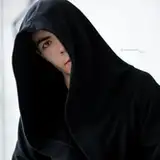
Last time I fixed the sole on shoes. The problem was that I began to correct the right leg, and for this I took the left sole.
In this video, I corrected everything and did a retouch and D&B.
If you have any suggestions about retouching, write me in private messages, or in the direct instagram. I will definitely listen to you and change the video format.
В прошлый раз я исправлял подошву на обуви. Проблема была в том, Ñ...
2020-03-11 18:11:45 +0000 UTC
View Post
2020-03-10 17:50:23 +0000 UTC
View Post
2020-03-09 09:33:20 +0000 UTC
View Post
2020-03-06 20:01:01 +0000 UTC
View Post
2020-03-05 15:57:06 +0000 UTC
View Post
2020-03-02 18:00:00 +0000 UTC
View Post
2020-03-02 17:00:13 +0000 UTC
View Post
Everything is quite simple here. First I made color correction, then plastic and started cleaning the background from dust. Next, I retouched using frequency decomposition and started highlighting the chains using a new layer with the blending mode “Lightening the base”.
2020-02-29 18:19:56 +0000 UTC
View Post
My depression is to blame. Recently, I ruined the shooting and there was no desire to go to Photoshop ( But I’ll be corrected soon !!
2020-02-25 19:57:15 +0000 UTC
View Post
2020-02-17 19:25:40 +0000 UTC
View Post
2020-02-17 17:16:29 +0000 UTC
View Post
In this photo I am dull with a gradient and dark spots on the floor.
Retouching is a florist in Camera RAW, plastic, cleaning and D&B))
2020-02-16 08:58:56 +0000 UTC
View Post
2020-02-10 05:45:46 +0000 UTC
View Post
2020-02-01 20:47:03 +0000 UTC
View Post
2020-02-01 20:46:22 +0000 UTC
View Post
2020-01-26 13:35:56 +0000 UTC
View Post
2020-01-24 05:41:19 +0000 UTC
View Post
2020-01-16 18:52:42 +0000 UTC
View Post
2020-01-16 18:40:51 +0000 UTC
View Post
2020-01-05 10:59:33 +0000 UTC
View Post
2020-01-04 07:33:07 +0000 UTC
View Post
2020-01-03 07:21:18 +0000 UTC
View Post
2020-01-03 06:36:47 +0000 UTC
View Post
2020-01-02 20:58:44 +0000 UTC
View Post
2020-01-02 14:59:43 +0000 UTC
View Post
2020-01-02 11:49:22 +0000 UTC
View Post
1. We do color correction in Camera RAW.
2. Cleaning (remove defects from the skin).
3. Plastic (make the figure narrower, align the cheekbones).
4. Collage (remove the open jaw).
5. Frequency degradation (even out skin tone).
6. D&B (draw muscles, ribs and cheekbones).
7. We remove red spots on the chest.
8. Color correction.
9. White correction.
10. Saving a photo.
2020-01-02 11:46:09 +0000 UTC
View Post
If the photo is overexposed, take 2 photos. 1 where the model looks normal and the background is lit. 2 where the model is darkened and the background is normal. then just grab the eraser and erase the unwanted highlighted background.
P.S. Today in Russian lessons will be added
2020-01-02 11:12:13 +0000 UTC
View Post
Everything in this image is Photoshop. The laser sword is drawn, the eyes too.
2020-01-02 07:34:00 +0000 UTC
View Post
One tip: Blur the bottom layer so that all defects and bumps are not visible, and the eyes, lips and nose are visible on the contrary. At first I didn’t do it and the retouch was terrible, I had to redo everything.
2020-01-02 07:23:13 +0000 UTC
View Post