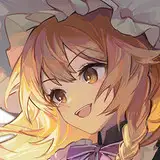
描写:ClipStudioPaint
加工:photoshop
タイムラプス↓
過程画像
・各過程のポイント Points of each process
1,ラフ sketch
アイデアを考える工程では、何故イラストにそのモチーフを出すのかを考えることが大切です。
登場するモチーフに意味を持たせるため、モノとモノの関係性を作ることを意識しています。
今回の場合、諏訪子が蛇に乗ったり、蓮の葉を掴んでいるといった部分です。
こうすることで場所と状況の設定がより明確になり、蓮のある水辺で諏訪子が蛇と仲良く戯れているというストーリーが表現しやすくなります。
キャラクターの表情やポーズを工夫することでもある程度は可能なのですが、背景にあるモチーフを活用することで、更に分かりやすいイラストに仕上げられます。
In the process of coming up with ideas, it is important to think about why the motif appears in the illustration.
In order to give meaning to the motifs that appear, I am conscious of creating relationships between objects.
In this case, it is the part where she is riding on a snake or grasping a lotus leaf.
In this way, the setting of the place and situation becomes clearer, and it becomes easier to express the story of her playing with the snake by the water where there is a lotus.
To a certain extent, this can be done by devising the facial expressions and poses of the characters, but by utilizing the motifs in the background, the illustration can be made even easier to understand.
2,線画・下塗り line drawing and base color
普段と違うブラシを使いたいと思ったため、一部の線画をこのブラシを使って描きました。
主に蛇や蓮の葉の線画に使用しています。
滑らかでふんわりとした質感が特徴のブラシのため、暖かみを感じる線が描けます。
I wanted to use a different brush than usual, so I used this brush for some of my line drawings.
I used it mainly for line drawings of snakes and lotus leaves.
The smooth and fluffy texture of this brush makes it possible to draw lines that feel warm.
3,着彩 coloring
全体が青~緑系の中、反対色であるピンク色の花が目立ちます。
それを活かして、視線誘導を作成しました。
キャラクターの顔に目線が流れることに加え、画面の奥行も表現できます。
While the overall color scheme is blue to green, the opposite color, pink flowers, stand out.
Taking advantage of this, I created a line-of-sight guide.
In addition to the eyes flowing to the character's face, it also expresses the depth of the screen.
・水面の描き方 -How to draw water surface
水面を描くときの大まかな手順は以下の通りです。
1,モチーフを配置し、ベース色を塗る
2,水面手前に濃い色を加える
3,水面にモチーフの反射を入れる
4,モチーフの影を加える
5,ハイライトを入れ、水の流れを表現する
他に、以下のようなことも意識すると水面が描きやすくなります。
・水面に近い部位には青系の色が反射する
・目線が水面に対して垂直に近い程、水中の様子がはっきりと見える
逆に遠い程、水中が見えなくなり、光の反射が強くなる
・水紋の波幅やラインを描くとき、規則的になりすぎないように変化を加える
The general procedure for painting water surfaces is as follows
1,Place the motif and paint the base color
2. Add darker color in front of the water surface.
3, Add the reflection of the motif on the water surface.
4, Add shadows of the motif.
5,Add highlights to express the flow of water.
In addition, the following tips will make it easier to draw the water surface.
-Blue color is reflected in the area near the surface of the water.
-The closer your eye is perpendicular to the surface of the water, the more clearly you can see the water.
Conversely, the farther away you are from the surface of the water, the less you can see of the water and the stronger the reflection of light.
-When drawing the wave width and lines of the water crest, make changes so that they do not become too regular.
4,仕上げ finishing
今回は日差しの強い時間設定のため、光を強調するような加工が合います。
所謂グロー効果というやつで、知っている方も多いかと思いますが、念のため紹介します。
Since the time of day is set for strong sunlight, processing that emphasizes light is appropriate.
This is the so-called "glow effect," which many of you may be familiar with, but just in case, here it is.
1,イラストのレイヤーを全て結合する
2,レイヤーを複製し、色調補正→レベル補正でバーを右側に寄せ、光と影にはっきり分かれるようにする
3,フィルター→ぼかし→ガウスぼかしでぼかす
4,色調補正したレイヤーを「スクリーン」にして元のレイヤーに重ねる
5,「スクリーン」にしたレイヤーの不透明度を調整する(不透明度が高すぎると、白飛びしたように見えるので注意)
1,Merge all layers of the illustration.
2, Duplicate the layer, and use Color Correction→Level Correction to move the bar to the right side so that the light and shadow are clearly separated.
3, Filter→Blur→Gaussian Blur to blur the image.
4, Set the corrected layer to "Screen" and add it on top of the original layer.
5, Adjust the opacity of the "screened" layer (note that if the opacity is too high, the image will look white out).
何か至らない点があればコメントにてお伝えください。
その他要望や感想、質問等もお気軽にコメントへどうぞ!
If you have any requests, impressions, or questions, please feel free to comment!
コメント欄で伝えづらい方は質問箱でも構いません。
If you have difficulty communicating in the comments section, you can use my question box.
(https://peing.net/ja/d6759df3bc79d7)