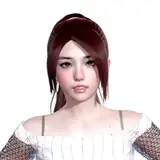
Face Tracking unity package for nikkie's avatars AKALII
The blend shapes used for face tracking follow VRCFT's Unified Expression template.
Includes:
patcher
pre-made menu
note** will not work without original product
buy avatar - https://nikkiepng.com/
get supporter role - https://discord.gg/nikkie
get started with face tracking - https://docs.vrcft.io/
add the unity controls to your avatar - https://github.com/Adjerry91/VRCFaceTracking-Templates
credits:
adjerry91 for template and patcher
nikkie for avatar
vrcfury for easy use
Currently not up to date and using v1.43.
Install:
VRC Creator Companion
Avatar 3.0 manager
VRC fury https://vrcfury.com/
steps:
import Poiyomi shader
import AKALII Avatar
import AKALII v1.43 FT UE DLC PATCHER
open project in windows explorer and navigate to \Assets\[ ;NIKKIE ]\MODELS\;AKALII\FBX
rename AKALII - FULL to AKALII
run AKALII_FaceTrackingPatcher
re-import AKALII avatar to re-obtain AKALII - FULL
Drag "A-Very Poor (FT +ET)" prefab into scene
Put body mesh of AKALII into missing body

***Optional: skip step 9 if you wish to choose a new set of parameters and menu options other than ones ocian has choosen. Use Avatar 3.0 manager to delete parameters of choice
import AKALII FT UE DLC MENUS