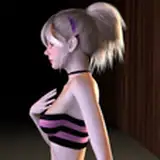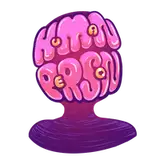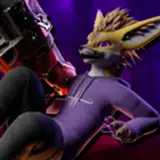
"Every Drone/Pet/Toy should be nice and faceless!" 95% of SynTech Customers agree with this statement (Source: my ass lol)
Well with the all new SynTech "Hooded+" you can have all that and More! with so many customization options you'll have something any scenario! Long term storage, Drone programming, Urinal units, ect.
Hooded+ also comes with VRCFury so it's an incredibly easy setup just put it on your rubbery subject and done!
Here are some of the customization options it has:
If you like Degration/Objectification make sure you check out "Materials/Hood/Textures/DefaultLatex/Text/VeryMeanNoGoodText" ;3
Installing Hooded+ is extremely easy!
If you already have experience with VRCFury and the Rexouium you can ignore this
Install VRCFury
Go to vrcfury.com and follow the steps to install VRCFury in your Unity Project. You'll need version 1.499.0 or higher.
Import the Unity Package
Download the HoodedPlus Unity package and drag the file into your Unity Asset browser. The files will be imported to "NikoDevAssets/Rex/HoodedPlus"
Find the correct version
There are 2 versions of the prefab. one for Rexouium 1.2 called "HoodedPlus" and one for Rexouium 1.3+ called "HoodedPlus1.6" if you already know which version of the Rex you're using then skip this step,
Go into your avatar prefab and open your armature until you find the chest bone, inside if there's a neck bone you'll have to use the "HoodedPlus" prefab, but if there is an ChestUp bone you'll have to use the "HoodedPlus1.6" prefab.

Drag the prefab on your avatar
Now that you know which prefab to use drag the correct version on the base of your avatar. (not the armature or the body just the base)

Done!
If you followed those steps correctly Hooded+ should now be installed on your avatar!
If you have any questions or problems please send me a DM on Twitter(not saying the dumb name lmao) or Discord(nikodevvr)!