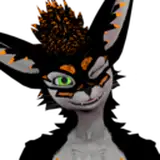
Yesterday I've been tinkering with exporting a non-human non-standard character from UE over to iClone so I could animate them better. We want to use these wolves for our cinematic project, but they're made to be controlled live in a game, so I'm going to need better character animation tools than I can find in Unreal Engine. iClone might be the answer, but I wasn't sure if this rather exotic workflow would work out.
Turns out it worked great: I could export the wolves from UE and got them into Character Creator with their existing rigging intact, then import the existing UE animations the same way. Character Creator kind of automagically adds them all to the wolf, and by the time I send him over to iClone, they're all available on the perform menu. This means I can queue the animations I need really easily without digging into a file explorer, make tweaks as necessary on the Motion Layer and craft my animation that way. I can even send proxy objects from UE over to iClone to they'll be able to interact with the environment.
The return back from iClone into UE was a tad trickier, as the non-human non-standard characters don't support the Live Link feature (that would have been great for timing purposes). I tried to re-write the existing Reallusion blueprint for my wolves to make this happen, but some of the nodes they use are deprecated and UE doesn't let me to add those. I'll see if there's a hack to make it work. Instead I've used FBX for exporting the animation, choose the original wolf skeleton in import into UE and let it calculate. That process takes a while per animation (about 5-10 minutes), so I'll see if there's a quicker way to make that happen. I'll have to play more Tick Box Bingo later.
For now, I'm super impressed how both iClone and Unreal Engine handle this!