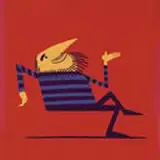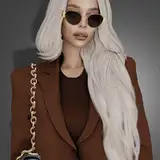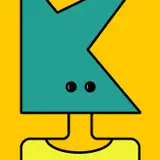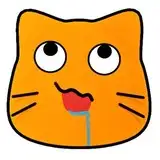
You are an emote artist and you need to test or need to present your work to your clients or for your portfolio?
You are a streamer and you need to try your emotes before publishing on Twitch?
You are a streamer and you need a basic layout for your streams?
Preview your emotes in static and animated mockups easily
Photoshop Mockups:
The sets are collected in PSD files (Photoshop). Inside you can select different layers, change the background image, and change the emote.
All main layers are converted into smart objects ( with the name "[REPLACE HERE]") double-click on the selected layer in the window that opens, change the picture, save and return to the original image, everything is ready.
After Effects Mockups:
1. In the Project panel you need to replace 2 files:
A. REPLACE BACKGROUND <--- Your background
B. REPLACE EMOTE <--- Your emote
Note 1: Elements are automatically resized
Note 2: Animated emotes needs at least 2 seconds long to work properly
2. In the Main composition there are 2 layers:
A. Customize Here
• In the Effects Control Panel you have 3 options:
• Edit color <--- You can change the color of the glow
• Text shadows <--- You can able/disable the shadows if the background is too bright to generate contrast
• Layout style <--- You can choose between different layout styles
B. Change Social Media Text Here
• You need to reveal the layer to edit the social media text
• When you're done, hide the layer
Hi! I'm not Lara and I am a 2D/3D Motion Graphic Designer 💻👨🏻💻 with experience in 3D modeling, illustration, augmented reality, and branding animation.
If you need something more specific, please e-mail me at hi.imnotlara@gmail.com 😊
Requires Adobe Photoshop & Adobe After Effects 2023