I spent for resting about 3 days at the beginning of the year and then made tools using the 3dsmax script. And yesterday, I did a test to bring my own model to VRChat.
年明けは3日間ほどゆっくり過ごし、その後3dsmaxのスクリプトを使ってツールを作ったりしていました。そして昨日、VRChatに自作モデルを持っていくテストをしました。
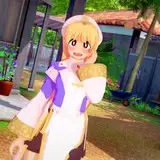
This model is Sayaka of Sarugecchu made for the purpose of studying Unity at the beginning of the year before last year. In order to bring a character model to VRChat, setup on Unity is essential. This was the only model optimized for my own Unity.
このモデルは一昨年の年始にUnityの勉強目的で作ったサルゲッチュのさやかです。VRChatにキャラクターモデルを持っていく為にはUnityでのセットアップが必須なのです。自分の手持ちのUnityに最適化したモデルはこれだけでした。
http://seismicxcharge.sakura.ne.jp/seismic/WebGL/sayaka2016/index.html
I started with reference to this site.
こちらのサイトを参考に試行を開始しました。
http://vrchatjp.playing.wiki/d/%A5%A2%A5%D0%A5%BF%A1%BC%A4%CE%BA%EE%C0%AE
Unityをインストール
VRChatのカスタムパッケージを導入
fbxモデルをインポートしHumanoid化
VRChatのavatar用コンポーネントを追加
目線の調整、アニメーションを女性に設定
ログインしてbuild & Publishを実行
A rough flow such as... After that, there were some errors in the build.
といった大まかな流れ。ビルドで幾つかエラーが出た。
First of all, since the scale was strange. I adjusted to the real human size (about 150 cm) within 3dsmax. Although it was successfully published, it became a transparent Avatar within VRChat LoL.
So I re-set materials and delete some of bones (such as a bear's bone of a school bag). Then I was able to use it as Avatar.
まずスケールがおかしかったので3dsmax内で実物の人間サイズ(150cm程度)に調整。パブリッシュ成功したものの、VRChat内で透明なAvatarになってしまったのでマテリアルを再セッティングし、ボーンの数をかなり削った(ランドセルの熊のボーンなど)。するとAvatarとして利用する事が出来ました。

Since the original model was made for pre render movie, I thought that it will take some more time, but it was complete in about 2 hours. I would like to try it with the model I made for VRChat properly. Also, your own room? stage? I also want to make it.
元のモデルは動画用の作りに近いままだったので、もう少し時間がかかるかなと思ったのですが、2時間程度で収集が着きました。ちゃんとVRChat向けに作ったモデルで試してみたいです。また、自作のルーム?ステージ?も作ってみたいですね。
Unfortunately when doing windowed capture with OBS (open broadcast software) capture of the dialog is not done, stream video is very redundant.
There is no problem with movies that capture the entire screen as a tutorial and editing later, but when real-time delivery is done, e-mails, pop-ups, messengers, etc. may enter the screen unexpectedly.
So, it will definitely use windowed capture. I was in trouble... no way ⁽ ´ ཀ` ⁾
残念な事にOBS(open broadcast software)でウィンドウ指定キャプチャを行うとダイアログのキャプチャが行われないので、配信動画は非常に冗長なものとなりました。
チュートリアルとして画面全体をキャプチャして後で編集する動画は問題無いんですが、リアルタイム配信となるとメールやポップアップ、メッセンジャーなどが突発的に画面に入ってくる可能性があります。なので、どうしてもウィンドウ指定キャプチャになってしまいます。困った。
myuRanRan a.k.a. seismic
2018-01-11 23:22:30 +0000 UTCTakuya Sawatari
2018-01-11 23:03:04 +0000 UTCmyuRanRan a.k.a. seismic
2018-01-11 08:15:15 +0000 UTCmyuRanRan a.k.a. seismic
2018-01-11 08:14:29 +0000 UTCmyuRanRan a.k.a. seismic
2018-01-11 08:13:58 +0000 UTCmyuRanRan a.k.a. seismic
2018-01-11 08:13:17 +0000 UTCmyuRanRan a.k.a. seismic
2018-01-11 08:12:09 +0000 UTCSleepnir
2018-01-11 06:39:48 +0000 UTCaciil
2018-01-11 06:36:02 +0000 UTCHDoomguy
2018-01-11 04:29:05 +0000 UTC