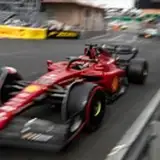
F1 Reality Reshade 62.0
Added 2024-03-04 02:55:25 +0000 UTCDear Community finally moment for a major release has come. first of all you need to update pure to the latest 0.250, download and install the latest AEGIS 1.65 public with the hotfix for pure 0.250. In this version a completely new helmet camera has been realized please let me know what you think. A completely new and reworked pure settings for the latest release of pure and ppfilter which is mandatory for final best result. As usual enjoy everybody
Comments
Can't really say what caused this I'm afraid :( but good you changed them manually
xNAPx
2024-03-04 23:09:43 +0000 UTCStrange it didn't change that when loading your video settings. Easy enough obviously to change manually though. Thanks!
Doug Dudenhoeffer
2024-03-04 21:22:48 +0000 UTCnope should be c13aegis
xNAPx
2024-03-04 21:14:58 +0000 UTCShould the ppfilter on the videos settings page be "realitybroadcast?"
Doug Dudenhoeffer
2024-03-04 21:03:29 +0000 UTCthat is weird because is not my resolution, it is always worth to do a double check in this case
xNAPx
2024-03-04 20:43:51 +0000 UTCHi there, yeah sorry the tutorial is not updated but the process is similar you just need a different ppfilter, so no changes in the process. PPfilter is listed in the update changelog
xNAPx
2024-03-04 20:43:06 +0000 UTCGot it installed, but when I selected your videos settings, I noticed a couple things... 1. Resolution was set to 1680x1050. Thought that was a bit strange. I manually selected my own which is 1440p. 2. The ppfilter is "realitybroadcast." Is that correct or should it be AEGIS?
Doug Dudenhoeffer
2024-03-04 19:57:29 +0000 UTCIn the process of upgrading to this version, I noticed your instructions still refer to Premier 5.0 instead of AEGIS. Looking forward to checking this out!
Doug Dudenhoeffer
2024-03-04 18:38:56 +0000 UTC