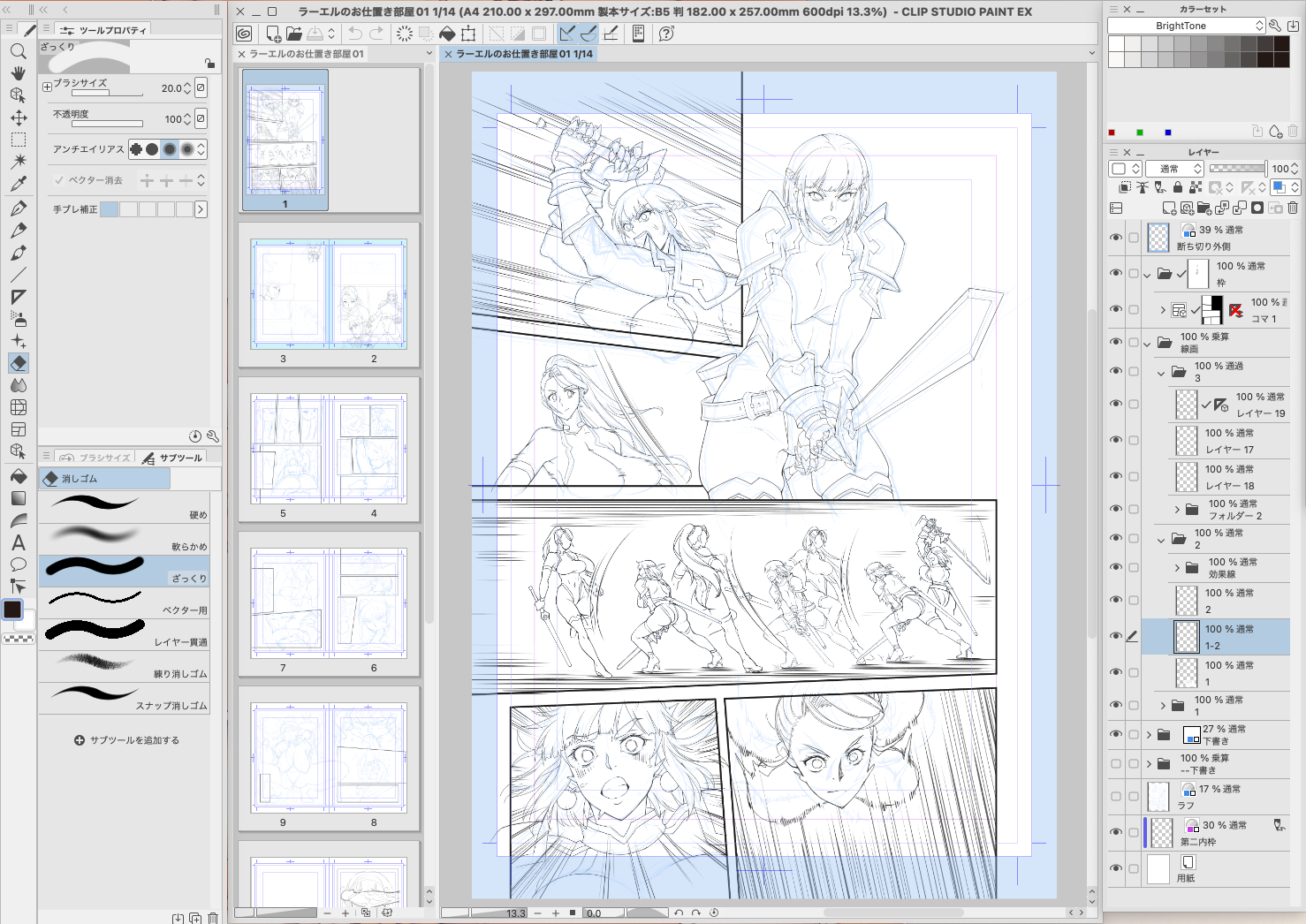
近況報告をいたします。
元気に原稿を描いていますが、少々変化がありました。
朝木は漫画家プロデビュー以前から作画のソフトをAdobe Photoshopを使用していました。特に不満もなく優秀なソフトだと思っていたのですが、周囲にはPhotoshopのみで作画してる知人は少なく、多くがCLIP STUDIO PAINTを使用しています。
詳しく話を聞いてみると、なかなか作画に良さそうです。それも当然の話で、漫画を描くためのソフトなのだから使いやすくてあたりまえ。 それに比べPhotoshopはレタッチソフトであって、漫画を描くためのソフトではないですからね.... ただ、今まで不満が無かった?感じなかった?のですが、最近の朝木は作画速度が落ち込んでいて、とても困っていました。そこで周囲の作家さんがおすすめしているCLIP STUDIO PAINTを使ってみたらどうかな?作画速度上がるかな?と興味が出てきた次第なんです。
I would like to give you a status report.
I am drawing manuscripts in good health, but there has been a slight change.
Asaki has been using Adobe Photoshop as his drawing software since before he debuted as a professional cartoonist. He had no complaints about it and thought it was an excellent software, but there were only a few people around him who used only Photoshop, and most of them used CLIP STUDIO PAINT.
When I asked them about it in detail, it seemed to be quite good for MANGA drawing. It is natural that they use it because it is a software for drawing manga, so it is easy to use. Photoshop, on the other hand, is a retouching software, not a software for drawing manga. .... However, have you ever had any complaints? I didn't feel it? But recently, Asaki's drawing speed was declining and he was having a lot of trouble. So I wondered if I could try CLIP STUDIO PAINT, which was recommended by the artists around me. Would it improve my MANGA drawing speed? I was curious to see if it would improve my drawing speed.
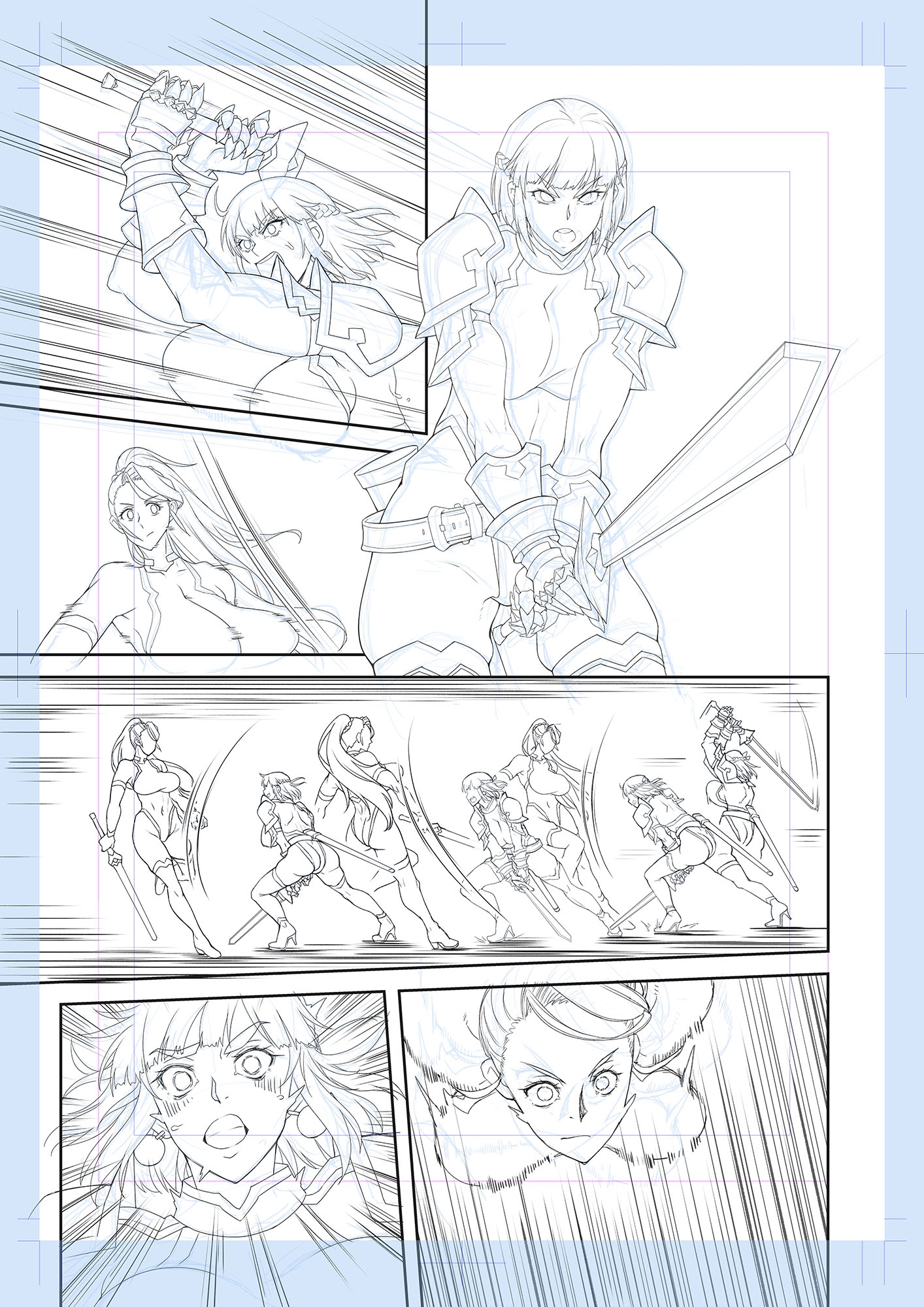
とりあえず、冬コミ合わせの新刊はCLIP STUDIO PAINTを導入して作画しています。
ただ、いきなり全部をCLIP STUDIO PAINTで作画するのはちょっと難しい。
手足のように使ってきたPhotoshopからCLIP STUDIO PAINTに切り替えると、インターフェイス、ショートカットが違いすぎて戸惑うばかり。特にショートカットは左手が無意識に操作するくらいに慣れ親しんでいます... これをCLIP STUDIO PAINTに置き換えないといけない。これが凄く難しくてストレスになります。
キーコンフィグでフォトショップに近い感じにして、なんとか単純な操作は慣れてきましたが、CLIP STUDIO PAINTにしかない素晴らしい機能がまだ使えてない...これを使えるようになるまではまだまだ時間がかかりそうです。
そもそも線画するペン(ブラシ)が変わってしまい、何がしっくり来るのかを試しながら描いているので、線のニュアンスが安定してないです... 今作は実験作なので大目に見てください(w
For the time being, I have introduced CLIP STUDIO PAINT to draw a new book for the Winter Comic.
However, it is a little difficult to suddenly use CLIP STUDIO PAINT for all of the drawings.
Switching from Photoshop, which I had been using like a hand and foot, to CLIP STUDIO PAINT, the interface and shortcuts were so different that I was at a loss. Especially the shortcuts are so familiar that my left hand operates unconsciously... I have to replace this with CLIP STUDIO PAINT. This is very difficult and stressful.
I've managed to get used to the simple operations by using key configurations to make it feel more like Photoshop, but I still can't use the wonderful functions that are only available in CLIP STUDIO PAINT... It will be a while before I can use this.
To begin with, the pens (brushes) I use for line drawing have changed, and I draw while experimenting to see what feels right, so the nuances of the lines are not stable... This work is an experiment, so please take it with a grain of salt.
今は3歩進んで2.5歩も下がるような感じで、しばらくはPhotoshopとCLIP STUDIO PAINTを行ったり来たりさせながら作業を進めています。
CLIP STUDIO PAINTのサブスク代が固定費に追加されてしまったので、皆様のご支援をありがたく噛み締めています。 今後もご支援ありがとうございます。
早くCLIP STUDIO PAINTに慣れて、フォトショップのサブスクを解除できるようになりたいです(w
今期のアニメの話もしたかったのですが、次の機会に!
それでは次回の投稿で会いましょう。
It is now like taking 3 steps forward and 2.5 steps backward, and I have been working back and forth between Photoshop and CLIP STUDIO PAINT for a while.
The cost of CLIP STUDIO PAINT subs has been added to my fixed cost of living expenses, but I am grateful for your support and am using it. Thank you for your continued support.
I can't wait to get used to CLIP STUDIO PAINT and be able to cancel my membership from Photoshop subscriptions (w
I would have liked to talk about this season's animation, but maybe next time!
See you in my next post.
Thank you! :)
朝木 貴行
2024-10-11 03:24:08 +0000 UTCあゆみ
2024-10-11 03:17:24 +0000 UTC