TOOL v2.4.2 - Neighborhood Stories Patch Fix
Added 2022-01-28 16:45:59 +0000 UTC
2.4.2 UPDATES:
- Compatibility update for Neighborhood Stories (Story Progression)
2.4.1 UPDATES:
- Added support for new world.
2.4 UPDATES:
- The grouping box now supports any polygonal shape.
- The grouping box visualizer follows terrain
- The grouping box can now select multiple levels.
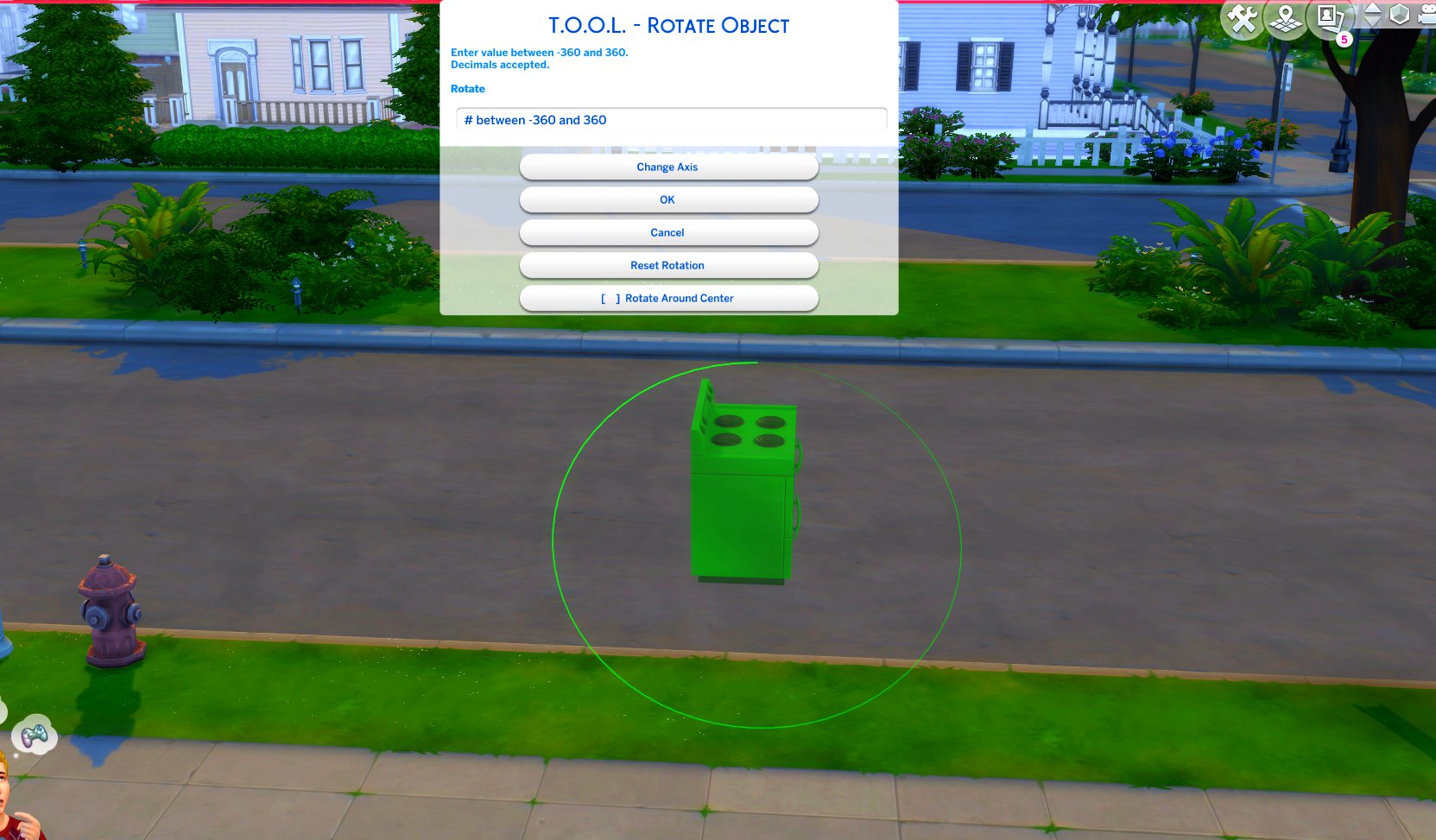
TOOL v2.3 brings a new feature called Rotate Around Center. It's a toggle in the rotate dialog that lets you choose whether group rotation will rotate all objects around their own axis, or around the group's center.
This video demonstrates the difference.
Many players requested this, as it'll allow them to rotate TOOL-only builds after they've finished, instead of having to plan which rotation they want to begin with. I hope everyone enjoys.
- Rotation Around Center added to Rotate Dialog
- Added an improved rotation indicator. The circle is now a gradient.
Dim = 0. Bright = 360.
Positive rotation amounts will always move dim -> bright.
TOOL Quick-Start
- The usage is the same as regular TOOL, except you will automatically be placed in TOOL mode any time the TOOL dialog is open.
- Toggle TOOL in build mode by pressing Shift+T
- In addition, shift+clicking surfaces will automatically place a group box marker. This can be used in combination with the Toggle Group button to highlight many objects at once.
- When the TOOL extension is open, ctrl+z and ctrl+y will handle the TOOL undo/redo instead of the buildbuy undo/redo. Buildbuy undo still works when TOOL is closed.
- If you're new to TOOL entirely, refer to my original tutorial.
Install Instructions
⚠ FOLLOW IT WORD FOR WORD. ⚠
1. Delete any existing copies you have for TOOL.
2. Open the "TwistedMexi's TOOL v2.4.2 Official" zip and drag the "Tmex-TOOL" folder inside to your mods root. That's it! Do NOT restructure or modify the files in any way.
3. Make sure 👉Script👈 Mods are enabled in gameplay options -> "Other". Restart if it wasn't.
You are the coolest thing to ever happen to The Sims community. Maxi owes you a great debt
AJ Draws
2022-03-21 01:15:37 +0000 UTC
Awesome! I knew you’d come through as always, TMex!
Nina Putina - Нина Путина
2022-03-13 17:44:57 +0000 UTC
If you manage to reproduce it, please take a screenshot
TwistedMexi
2022-03-06 04:46:50 +0000 UTC
Hi, I was just scaling an object and suddenly a vertical white line appeared. It stayed there even after undoing everything and recovering an old save. After i removed the Tool mod it disappeared. I just wanted to let you know.
Ghostly
2022-03-06 02:57:11 +0000 UTC
No, some objects just can't be rotated on all 3 axes due to how EA designed them.
TwistedMexi
2022-03-04 13:08:27 +0000 UTC
Hi, im having some issues with the rotation tool, it sometimes make the item disappear or not rotate at all. is there any fix for that?
Tania bernheim
2022-03-04 11:47:44 +0000 UTC
Thanks for updating so quickly. Of the many mods I use, only two are mandatory and this is one of them!
Wendy Hubble
2022-02-24 17:26:50 +0000 UTC
Thank you for updating!! I don't know what I'd do without this mod.
DaisieSims
2022-02-23 21:50:11 +0000 UTC
Thank you very much for the very fast update.
Queen of Hell
2022-02-23 20:34:45 +0000 UTC
For CAW? Click the double square icon at the top
TwistedMexi
2022-02-08 12:42:35 +0000 UTC
okay thank you also i get how to use the mod. but im not sure how to group all objects at once ive watched video is it possible to do that yet?
Chelsey Bexson
2022-02-08 09:20:51 +0000 UTC
You can't install tool when using caw. Caw comes with its own version of tool built in. Wait for v0.08
TwistedMexi
2022-02-06 16:00:31 +0000 UTC
how come this tool update doesnt work with alpha 7? just loads onto a white screen
Chelsey Bexson
2022-02-06 14:38:57 +0000 UTC
Thank you for everything!!
Jacki
2022-01-31 15:16:31 +0000 UTC
Thank you!
Diamond
2022-01-29 16:09:54 +0000 UTC
Thank you very much.
Queen of Hell
2022-01-29 13:10:29 +0000 UTC
Thank you so much!!! 🤗❣️🤗
szanne7000
2022-01-28 20:39:17 +0000 UTC