
XaiJu
TwistedMexi
TwistedMexi

patreon


TOOL v2.3.1 - Dream Home Decorator Patch Update

DOWNLOAD REMOVED AS IT IS NOW OUT OF DATE.
FIND THE LATEST USING
https://TwistedMexi.com


Patch Fix Update to resolve visual issues with dialogs. Please see below for the original release text and instructions.

====Original Post====
Want TOOL in build mode? Grab Better BuildBuy as well! 

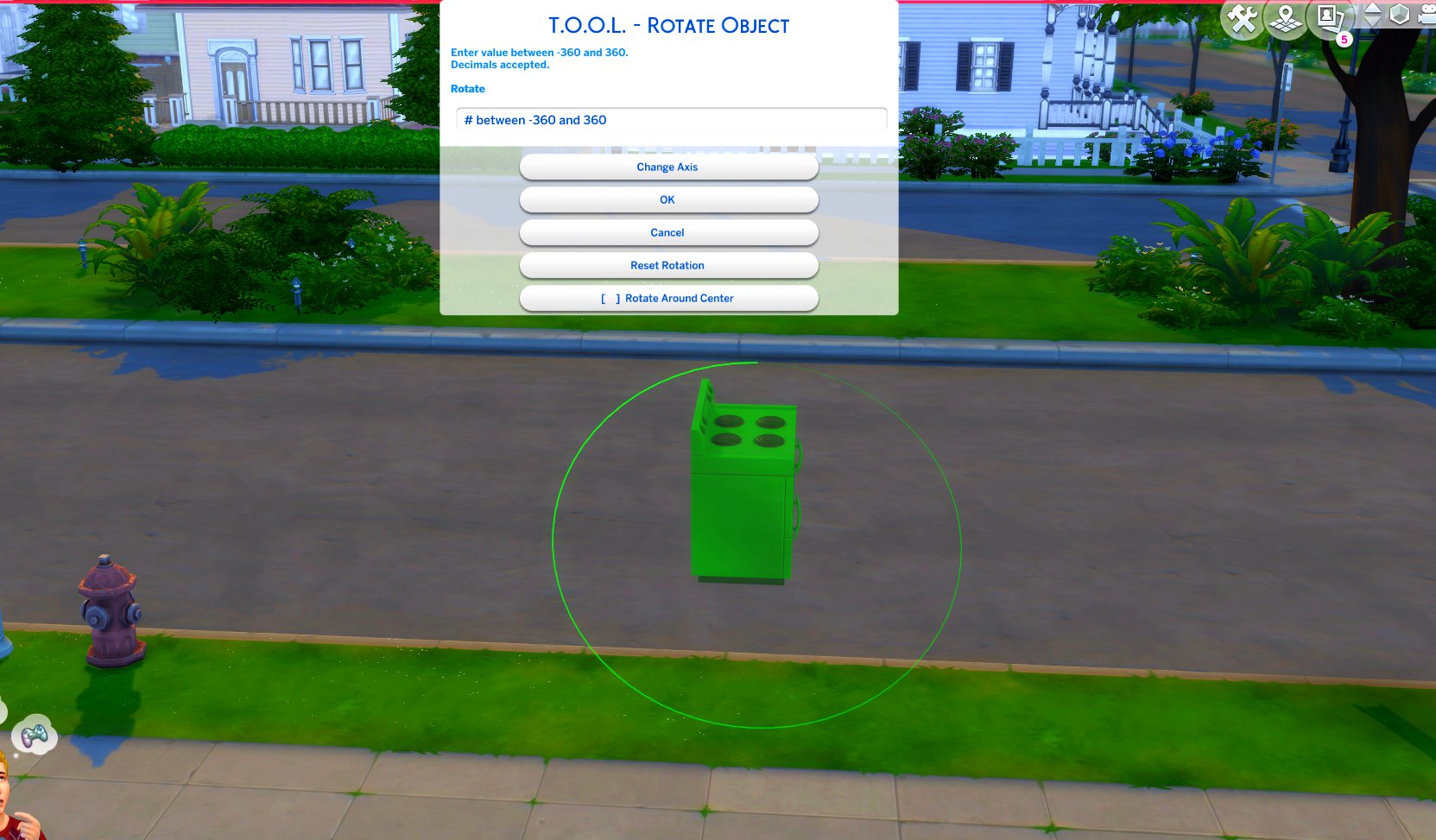
TOOL v2.3 brings a new feature called Rotate Around Center. It's a toggle in the rotate dialog that lets you choose whether group rotation will rotate all objects around their own axis, or around the group's center.

This video demonstrates the difference.

Many players requested this, as it'll allow them to rotate TOOL-only builds after they've finished, instead of having to plan which rotation they want to begin with. I hope everyone enjoys.

TOOL Quick-Start

Install Instructions
FOLLOW IT WORD FOR WORD.

1. Delete any existing copies you have for TOOL.

2. Open the "TwistedMexi's TOOL v2.3.1 Official" zip and drag the "Tmex-TOOL" folder  inside to your mods root.

3. That's it! Don't restructure or move the files in any way.

TOOL v2.3.1 - Dream Home Decorator Patch Update

Comments

You need both TOOL and Better Buildbuy for the shift T menu to work

TwistedMexi

I of course have done something wrong bc I can not get tool to pop up in game. It shows I have the folder added to my mods folder and I have mods turned on in game and I restarted. Please can someone give some pointers or ideas?

Lora

Okay. Apparently "move folder above" means "folder below" or "folder at this level."

Kevin Borchers

Shift + T does absolutely nothing on a Mac.

Kevin Borchers

Is not working for me ! Don’t appear nothing when I click a object

Sims4Liive

Thank you so very much!!!

RobertAtNyte

Thank you for updating so fast!! I went to work on my current build and saw the patch issue. Got so bummed until I saw you released the fix already!! I also just became a patron because your mods have seriously changed my life as a builder in the sims!

Amazingly fast as always -- thank you!

TheMousetress

Thank you so much!!!

szanne7000

Thank you!

Sheri


More Creators