This is an easy install working hypno visor for vrchat. When worn it includes lots of settings in the radial menu and a physical button anyone can use to turn it on and off.
Its primarily designed for the Nardoragon, but can be worn by most avatars with some adjustments.
- Change the color
- Increase the spirals power
- Add/Adjust an added Distortion effect (Makes reality wavy)
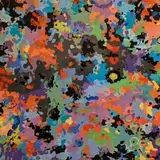
- Choose between 2 main textures (Default and Simple), and one extra for colorblind (Vizi)
- Hide local spiral effect (better for photos)
- Show spirals to others (when others just NEED to be sunk instead)
- Choose between and adjust volume of 2 different audio clips
- Toggle to show spiral effects to others
Included with the Unity Package is an step by step install guide, and if you have any issues feel free to ask for help at Bucky's Pack Discord Server
You need to know the basics of unity to use it though. at least enough to install the unity package and move items around the scene.
https://vrchat.com/home/launch?worldId=wrld_9e37ee49-1bec-4303-bb74-a195f267d8fc
Free for anyone to use however they please, but if you make a public avatar, please don't remove the "AD" option in the visor menu.
And no reselling the asset. It was made free, it will stay free. If you make changes to the visor and want to sell that reach out to me on discord @buckybrust.
If you want to make videos with it on or share it with others, please include a link to this gumroad page.
Credit
Credit goes to Sophie for providing the main spiral used by the headset, and for creating the physical button concept (18+ warning for their blue sky) - https://bsky.app/profile/feralfluid.bsky.social
And if you appreciate my work buying the asset or subscribing to my Patreon would be amazing! patreon.com/buckybrust
TO INSTALL
Make sure you have VRCFury Installed in your project first https://vrcfury.com/
Also uses Poiyomi for its materials. If you want to edit them you need to install the newest poiyomi toon or pro https://github.com/poiyomi/PoiyomiToonShader
Install guide is included inside the unity package. drag it into your avatar project and follow it from there. If you're installing for vrchat you only need the HypnoVisor Unity Package.
Base Assets here is for those that want the model and spirals for use in other platforms.
If you have issues seeing the spiral effect in game , follow the tips at the bottom of the install guide before asking for help.
Change Log
1.5.4-1.5.5
Simplified Install Process
Removed Unnecessary Animators
Fixed Shown VRCFury Errors
1.5.1-1.5.3
Fixed Audio Being Global
Added/Fixed Visor AD
1.5
Reorganized Menu
Added Audio (Binaural, and Soft Rain)
Full ChangeLog - https://pastebin.com/eCMRphh3