TBOE Tuesday Upd8
Added 2025-01-21 08:38:06 +0000 UTCMerry Tuesday to all, and to all a good night.
Today I have for you an upd8 with some fixes and improvements. Most notably, loading is much faster, time travel has been added, and the game can accept translations.
Features n fixes
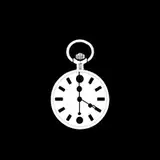
If you get permalock'd, an Hourglass will be available in the living room. This allows you to time travel to the start of the game in order to escape the permanent restraints while keeping ending credits. In this way it is possible to get other endings.
Initial floor generation is faster, but in exchange there may be a moment of lag when entering a room
Asset loading at the start of the game is faster, and the screen no longer shows the full path of the files it's loading
Getting whipped while pulling the sulky now gives you a speed & stamina boost
You can now hide in haystacks. You remain hidden for a short time even after leaving them
Severe blindness now makes the map invisible
Stratagem minigame is now less likely to overflow off the screen
Held vial no longer disappears between floors
Why's there two versions
Prefer to use 0008e_lnx and 0008e_win. Some of the systems have been ripped out and replaced to make mod support work better when eventually it becomes relevant. As far as I can tell it works fine but I've only had so much time to test it and so the _stable versions are also provided this week in case there's some undiscovered crashes
Using translations
If you obtain translation files in the form of two files `translations_??.csv` and 'global_translations_??.csv', you can use them by placing them in tboe_mods/base before opening the game. At that point the options menu shall have an option to choose language.
Making translations
If you copy the files 'tboe_mods/base/translations_en.csv' and '/global_translations_en.csv', you can add a new language to the game.
Your language of choice should have a two letter ISO 639-1 language code, e.g. ja for japanese, ru for russian, zh for chinese
Copied files should be placed in tboe_mods/base, and named to match the language code, e.g. 'global_translations_ja.csv'
In both files, leave the first column alone and change the second column:
Change the first row from 'en' to the language code
Translate text in the second column into the language of choice
Text in {{double braces}} shouldn't be changed
'%s' represents some value that the game will insert later. e.g. in 'Gained %s' , '%s' is replaced by the name of an item. You can't change the number of '%s', and they have to stay in the same order, but you can move them as makes sense
'\n' represents a new line, although it only works in some cases
A lot of dialogue starts with <portrait=something>, that should not be translated