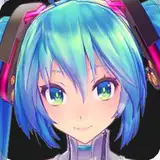
Hey guys!
I'll be sticking to link-based images for this post. Sorry guys, apparently Patreon's HTML posting is still in beta and posting images manually breaks the layout entirely. Moving on:
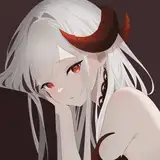
After looking back on the image used for the Mayu icon last night, I was disappointed. Mayu is a yandere, but the image looks quite uncanny. I went back and redid it today and figured I'd take the opportunity to make use of Patreon to share some potentially useful knowledge with you guys.
A lot of anime models on the workshop have bad icons quite frankly. They have 2d icons which don't represent the model's in-game appearance appropriately or they have ugly in-game pictures with bad lighting. I decided to meet half way. These renders are of the model and are almost identical to what it looks like in-game (excluding certain models which had to actually be taken in-game such as shadow miku. The only problem with this process is that the more I edit models, the less they look like their MMD variants which becomes increasingly more difficult for certain characters (most of whom were never released).
First things first: most of the workshop icons are made in MMD. Due to the shading looking just about identical to their GMod counterparts, the poses look like a near-perfect match. Here's the same shader comparison from the workshop page:
If you take away the ambient lighting color (sun and such) in GMod so it was a generic white light instead and gave Source proper outline shading, it'd probably be just about identical. Nevertheless, so we start with the model in MMD. Here's what the process looks like as I mess around with poses:
http://bit.ly/DevilMayuIconProcess
Here's what Mayu looks like over in MMD prior to being rendered:
http://bit.ly/MMDDevilMayuIcon01
http://bit.ly/MMDDevilMayuIcon02
http://bit.ly/MMDDevilMayuIcon03
I generally line the camera up, register it, then pose the model and edit expressions. This basically means that I set up the camera, lock it so that I can move around and pose the model in 3d, but revert back whenever I need to see what the pose will look like from the camera. There's no need to pose the stuff that's off camera so most of her body is left in the default t-pose off screen. When it comes to expressions, even subtle movements can make a difference, so don't hestitate to leave even low values on expressions and mix them together. The mouth in this pose for example is actually a combination of about 4 smile types along with the "i" flex.
Anyway, that's almost it. From there, I render the icon as a PNG in 1920x1080 and line the icon up in a 512x512 file. Since Mayu is incomplete, we'll use Miku's icons as a reference here. The icon is positioned appropriately and in some cases some minor adjustments may be made to color. For Miku Append, I bump up the vibrance and saturation.
http://bit.ly/MikuApWorkshopIcon
http://bit.ly/MikuApEntityIcon
When the icon is finalized, I make a second version which is basically the same thing, but resized to about 90% and pushed upward a little. While the workshop icon is rendered at 512x512 as a jpeg, the entity icon is rendered at 256x256 as a bmp, then imported as a VTF and used as an NPC icon.
I shrink the image a bit and move it upward so it doesn't clip with her title when displayed in-game. I usually try to ensure her chin is a few pixels above the title bar. I often take a screenshot of the NPC menu so I can shrink and place the entity version over top in Photoshop and experiment with how it fits without constantly updating the texture. Ensure the texture itself has mipmapping and LoD disabled since this is a HUD or GUI icon. This means that the icon won't be displayed in low detail even if players are running on low texture settings. The material often contains the same information just in case.
That about sums it up. I'll include some bonus goodies for the $15 patrons such as the source files. They're certainly likely to change, but you'll have them for your viewing pleasure nonetheless. I'll also include the evolution for the icons of Miku, Neru, Teto, and Luka for the fun of it. Did you know that in Miku's current workshop icon, she originally rested her chin on her fist?
Thanks for the support, guys!