Note: Update your iPad and Procreate before installing brushes. Install using Chrome or Safari (Try both if one isn't working). Once installed on the iPad, the brushes will automatically export to Procreate.
Two new brushes that are perfect for sketching. The 2B pencil came to fruition after I spent hours using the Apple Notes pencil. I thought, "Damn, this is nearly perfect. I wish I had a brush like this on Procreate." And so, I began experimenting for hours each day for a week. I'd draw on Notes, then back onto Procreate. Then I'd start using a real pencil on paper. What I didn't like about the notes pencil was how grainy it was when I tilted it. It stole details that I wanted to show. I made sure to smoothen the grain a bit. I also made sure to allow the pencil to be sharp enough for intricate linework, something not achievable on Notes. I also included a 4H pencil. It's the same as the 2B, but at 50% opacity to allow for very fine control.

For this panel of Kings of Nowhere, the background was done entirely using the 2B pencil. I did my characters using the Hard Ink brush, also available on Patreon (search brush on my search tab).

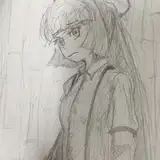
This is a practice page using only the 2B brush. I suggest you test it out like this. Remember, the tip will allow for incredibly fine detail work, and tilt it for a perfect gradient tool. Have fun with your new pencils!
Isaiah Simpson
2021-01-07 04:05:00 +0000 UTCValmor
2021-01-06 19:36:11 +0000 UTCLiam Wallace
2021-01-05 18:06:12 +0000 UTCDavid Tenorio
2021-01-05 17:56:43 +0000 UTC