XaiJu
Bramley Apple
Bramley Apple

patreon


WHY I’M GIVING UP ON MY FUJIFILM X100V? 1 of 6

I love this camera, albeit not for the reasons I initially anticipated, but it is time to let it go.
To know the reason for my decision, you’ll have to wait until Saturday, whilst in the next days we’ll retrace my story with this exceptional machine (and my beautiful models).

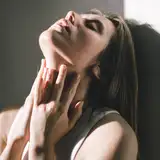
I bought the Fujifilm X100V on August 2020, just in time for the shooting with Jiulia, so I shot only a small number of photos, to get the feel of it.
The shooting stage was a pleasant surprise, and the camera was working perfectly with sufficient light coming in from the windows in the apartment of my friend Bottarelli in Brescia.
But the editing on CaptureOne, coming from Lightroom, proved a real pain, so I was disappointed and frustrated.

If you want to learn more about the Bramley Apple Project or Archives, or DA subscriptions, ask me on bramleyapple@yahoo.com

WHY I’M GIVING UP ON MY FUJIFILM X100V?     1 of 6 WHY I’M GIVING UP ON MY FUJIFILM X100V?     1 of 6 WHY I’M GIVING UP ON MY FUJIFILM X100V?     1 of 6

Comments

My workflow used to be: import in Lightroom, do most of the editing there, export Jpeg and do the final retouching in Photoshop (just small skin blemishes to remove). I used CaptureOne for a brief period and only for the X100V, because the RAW files were not supported on my older version of Lightroom. Nowadays I am subscribed with Adobe and I work only in Lightroom Classic.

Bramley Apple

This post sheds some light on why you dislike the X100V. What is the workflow you are using for posting processing your photographs? Are you switching from using Lightroom to editing in CaptureOne? If I edited in CaptureOne, I'd probably wouldn't like it either. CaptureOne is very limited compared to what you can accomplish within Photoshop. My previous workflow used to be the following: From Camera > Transfer to computer > Rename files > View in Adobe Bridge > Import to Capture One > Make initial color corrections to exposure > Export from Capture One to folder on Computer as PSD > Edit within Photoshop I switched up my workflow because I got tired of paying for upgrades to CaptureOne. I also started dabbling with Lightroom which is a program I never used, I always went straight to Photoshop. My new workflow is the following: From Camera > Transfer to computer > Rename files > View in Adobe Bridge > Convert Raw files to DNG > Delete Raw files > Rate & identify photographs I want to edit in Adobe Bridge > Open photographs in Photoshop to edit > Once edit is complete, I save a PRINT and WEB jpeg version of the final image along with the PSD. I see some people rave about CaptureOne and it is great for how it handles Raw conversion and color correction, and tethering, but that's the limit to where CaptureOne shines in my opinion. I work faster and more precise within Photoshop compared to CaptureOne and Lightroom. The only time I'd really consider using Lightroom is if I was editing street photography photographs because I'd be working with a bulk set of images. I look forward to viewing more of your work.

Eric Adeleye


More Creators