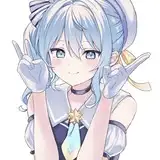
Here's a little walkthrough on my lineart process! I'll be using this sketch to do the colour/render part as well :)
Here's the alt text:
First of all change the colour of your canvas to an off white colour, your eyes will thank you later!
I used a textured Pencil Brush! (any one will do, I can’t remember where I got this one from!) for all my lineart, start to finish.
Get the brush nice & big and start roughing out shapes. Try to use a nice light hand here. Adjust your brush’s pressure levels if needed.
Once I’m happy with the sketch, I’ll duplicate it & put it in a layer folder. I do this so that I have a backup of the OG sketch in case I mess up.
Then I take this Eraser & use it exactly like it’s IRL counterpart, using it nice & big, going very lightly over the whole sketch.
My aim here is to lighten up the sketch nice & evenly. I don’t adjust the opacity because I will be drawing on top of this sketch on the same layer.
So on the same layer I’ll use the Pencil Brush & start refining the sketch. I use the Kneaded Eraser still, as I really like the texture it leaves.
As you can see at the elbow, I have “erased” a line I didn’t like & it softens the line without getting rid of it completely. Just like a real pencil drawing!
I also constantly change the size of my brush. I’ve programmed the roller wheel on my tablet to change brush size & it saves so much time!
As you can see, the original sketch still shows through the more refined lines. I like doing it this was cause I feel like it keeps the energy & movement of the OG sketch & keeps it visually interesting. Plus I’m no good at super clean lineart, so I just don’t do it.
I’m still keeping my brush quite large here & stay zoomed out of my canvas to keep the “Big Picture” in mind.
If I find myself struggling with a section (which is often) I’ll cut & paste it onto another layer & work on it there, as to not mess up the lineart I’ve already done.
Once I’m done I’ll merge it back down!
OK, first pass complete! Depending on how I’m feeling I’ll either leave the lineart here (e.g for comics/quick sketches) or I’ll work on it some more.
My goal with the first pass is to get the face/hair/anatomy sorted, then in the next go I’ll do fancier things to tighten it up.
Here I repeated step 2 & lightly erased the lines to go back in for a tighter pass.
I also noticed that the forearms were looking a little short, so I used the Liquify Tool to pull them down a bit.
And that’s the final pass done! I added more detail to the face & hair, tidies up the lines in the hands & added light contour lines to the arms.
I did some small adjustments to the line weight here, mainly on the outer lines & where the lines converge
Next, colouring!
Rael
2025-07-19 14:37:32 +0000 UTCDevilfella
2025-07-19 12:16:12 +0000 UTCWestygalery
2025-07-18 17:49:23 +0000 UTC