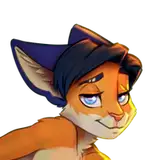
The idea of the drawing appeared as a sketch, in which I wanted to combine something big and high with something small. It is convenient that this is easily possible in Zootopia :3
Below are the stages of creating the art and the PSD file with all the layers.
Original posts:
https://www.patreon.com/posts/in-paws-of-1-of-54062320
https://www.patreon.com/posts/in-paws-of-2-of-54063413
https://www.patreon.com/posts/in-paws-of-3-of-54063554
1. I started with a conceptual sketch. I liked this vertical composition.

2. A more detailed sketch. While I was making materials for the first art, I had the idea to make 3 more angles, since everything will not be visible from one.

3. Neat linart.

4. Flat color. I added it without fear of going beyond the boundaries of the linart. Everything outside the borders will then be transparent. I made the giraffe texture separately and applied it using Photoshop transformation tools.

5. The important part is "ambient occlusion" (depth shadows). They add volume well.

6. I used an HDRi map in a 3D program to create a background, and also simple 3D models to create a shading base, which I then adjusted to my linart manually. And I was satisfied with the result:

7. I put the layers obtained in stages 3,4,5 and 6 on top of each other (I applied shadows in several layers, you can see this in the PSD file at the end of my post).

8. My favorite part of the job. I like to draw sperm. And not only to draw it, I like it in general =^_^=

9. Then I put the previous item on top of everything else.

10. And in the final - small edits and general color correction. The image is ready!

A PSD file with all the layers, settings, and corrections is available at this link:
https://yadi.sk/d/06bFT8xnsKOrGg