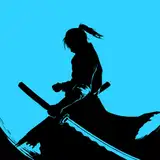
1. This time I decided to start with a rough sketch and a skeleton (so that everything was anatomically correct)

2. Then the musculature. It's easy when you know which points connect how. Study anatomy, guys ;3

3. Flat color, it's simple.

4. And ...lighting. Oh, I made it harder than it needed to be, and spent a lot of time. First I worked out the shadow part - general shading (dark gray color), warm soft light from below from the ground and cold blue soft from above from the sky.

5. Then I applied this shadow layer to the flat color with the "multiply " mode".

6. Then I drew the main light on the new layer.

7. And applied this light layer with the "overlay " mode".

8. But it was too dark! (⊙_⊙) This is why I applied the mask to the shadow layer (from paragraph 4). I copied the mask shape from the main light layer.

9. The mask made the shadow part more transparent in places where there is a main light.

10. I added a layer with depth ("multiply" mode), a layer with highlights, and some layers with color corrections.

11. Few edits and simple background. Everything is ready! :3