Changes to the in-game smartphone
Added 2024-09-07 17:51:12 +0000 UTC One question I often see on various platforms is why the smartphone is not always accessible.
When I designed the smartphone, I considered some in-game reasons for whether it should be accessible all the time. I played with the characters reacting to the player opening the smartphone in the middle of a conversation, but this proved too cumbersome and would mess with the flow of the game. Then there's the home screen image, which characters will react to if they see it. Having the player be able to instantly change it when such an interaction occurs diminished the impact their choice of picture has.
In addition to this, there were also logical code issues. Several smartphone features use regular game flow to function. Using these features during the ordinary course of the game would cause the game to advance in the background, including skipping through choice screens. This is obviously not ideal.
However, I've now devised a solution that I hope will meet players' expectations, and I've added something else into the mix as well.
Technically, I've implemented a second smartphone interface that will be available when the primary smartphone is not. There will still be times when this version of the smartphone is disabled, such as when Kimberley takes the player's phone during the pool event.
From the player's perspective, the second phone will look and behave mostly the same. Consider this a 'read-only' smartphone, as it allows players to look at information in the various apps, but you can't change anything; except in the settings app, where most of the options can still be toggled.
This means the player can check relationship stats, photos, tasks, etc., but not change anything, including the home screen picture. Thus, the choice of home screen image still has its intended impact.
You can also toggle if you want the mini-phone icon always displayed or only displayed on hover.
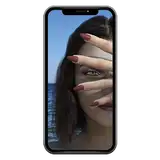
The new feature you may have noticed in the screenshot is the 'Favorite' app.
This allows you to save almost any image in the game to a favorite gallery. Since this is part of the smartphone, certain images can't be captured, and some images aren't compatible.

These favorite images won't be available to use on the smartphone, as there's additional information on the home screen to identify which characters and what type of image it is. Hence, the home screen is still limited to the 'look closer' images.

The Favorite gallery is a separate option on the main menu and is independent of playthrough or save files. You can't add an image more than once, and to remove it, hover in the top right and look for the trash icon.
The new smartphone will be pushed to the beta branch when the marketing class is ready to roll out.

Comments
Yes :)
Spin256
2024-10-10 13:41:49 +0000 UTCI'm just checking in. Do you have any story or status update you can share? Thanks!
Pax
2024-10-09 08:44:26 +0000 UTCThis looks great and will definitely be a great addition for gameplay!
Pax
2024-09-08 11:37:06 +0000 UTC