[High-Res Art | Reward | WIP] Lucario Cosplay StepProcess
Added 2021-08-17 03:28:52 +0000 UTC
Final version post
Download the attachments to check out the timelapse videos featuring the making of this!
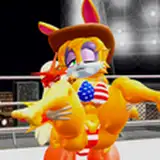
Here are all the steps taken to create the lastest reward for Leaf!
- 1- Early sketch: The very 1st sketch was a little messy at the start, I needed to figure out how to draw a 4 legged character in a 2 legged pose with a specific feel to it without it looking too weird. I wanted Leafa here to look like she was kinda struggling to keep balance while looking as confident and cocky as possible.
- 2- Sketch 1: After a good number of tweaks, and some resizing, I got the proper sketch done including the rough bg, which was going to be very simple in itself.
- 3- Sketch 2: Then on a different layers I added another sketch featuring all the clothes and parts of the costume + the notes on what everything is supposed to be. I also had to get creative with reasonable ways for someone to dress up and look like a lucario.
- 4- Lineart: After everything is in place, I draw the proper clean lines with extra fixes and details, I also add a lil cone on the chest at the request of the patron.
- 5- Flat colors: Now I color everything with the right colors, pretty straightforward.
- 6- Gradients: I add gradients to all colors and and extra couple layers to make it look like she dyed some of her leaves black to match the lucario palette.
- 7- BG base: Now to start working on the background, I set in all the sharp bases for each element of the bg, featuring floors. walls, doors, etc. all in their separate layers
- 8- BG details: Then I add several layers with extra strokes and details to all the elements.
- 9- Environmental shadows: Then I put the characters in the bg, and draw some shadows inbetween the characters and the bg.
- 10- Shading & linecolor: Now I add 2 layers (1 for shadow one for hightlights) to further sell the idea that the character is being illuminated by something in the room.
- 11- Extra lightning effects: Now I add some airbrush touches to both the bg and the characters to add more shadows and lightning effects.
- 12- Lil extra dialogue: Aaaand a lil extra dialogue because why not.
![[High-Res Art | Reward | WIP] Lucario Cosplay StepProcess](https://img10.xaiju.com/storage/5/yp/no/d38796-019e8c9a-62e3-73ea-a7ab-23ff20335857.png)
![[High-Res Art | Reward | WIP] Lucario Cosplay StepProcess](https://img5.xaiju.com/storage/8/ph/dk/d38796-019e8c9a-62f2-7dae-a958-7e720a0fd5a9.png)
![[High-Res Art | Reward | WIP] Lucario Cosplay StepProcess](https://img10.xaiju.com/storage/7/is/cu/d38796-019e8c9a-62ff-7b69-9d7b-e51dff86ca2d.png)
![[High-Res Art | Reward | WIP] Lucario Cosplay StepProcess](https://img5.xaiju.com/storage/6/gs/io/d38796-019e8c9a-631c-7d72-98e5-30f0a247bf01.png)
![[High-Res Art | Reward | WIP] Lucario Cosplay StepProcess](https://img10.xaiju.com/storage/10/sr/uf/d38796-019e8c9a-6378-71ee-91ff-9ccce3198f11.png)
![[High-Res Art | Reward | WIP] Lucario Cosplay StepProcess](https://img5.xaiju.com/storage/6/sc/xo/d38796-019e8c9a-638f-77c6-b7be-167386164335.png)
![[High-Res Art | Reward | WIP] Lucario Cosplay StepProcess](https://img10.xaiju.com/storage/12/qx/fj/d38796-019e8c9a-6395-7c6f-a8d1-be2ea7f9a6bc.png)
![[High-Res Art | Reward | WIP] Lucario Cosplay StepProcess](https://img5.xaiju.com/storage/9/uj/lw/d38796-019e8c9a-639d-7a0c-aeb3-9c4993deec63.png)
![[High-Res Art | Reward | WIP] Lucario Cosplay StepProcess](https://img10.xaiju.com/storage/2/ki/wy/d38796-019e8c9a-639e-79d8-88ca-02e20260be1f.png)
![[High-Res Art | Reward | WIP] Lucario Cosplay StepProcess](https://img5.xaiju.com/storage/9/fl/zp/d38796-019e8c9a-63a4-72db-8573-1fcd97929240.png)
![[High-Res Art | Reward | WIP] Lucario Cosplay StepProcess](https://img5.xaiju.com/storage/7/ua/vc/d38796-019e8c9a-63ab-7882-b131-308a11971fb4.png)
![[High-Res Art | Reward | WIP] Lucario Cosplay StepProcess](https://img5.xaiju.com/storage/7/ad/gt/d38796-019e8c9a-63b9-7d6b-aced-c34a1da4774f.png)