RTBP + RESHADE / GSHADE installation instructions
Added 2024-02-08 18:11:47 +0000 UTC
- - -- - - - + + + + + + + + - - - - - - - - introduction - - - - - - - - - + + + + + + + + - -
If you use any kind of graphic enhancing programs like Reshade or Gshade AND want add body physics to sims in your game this tutorial is for you.
Real Time Body Physics is a mod by CPVC from LOVERSLAB so you must be 18+ to use this, so my tutorial will also be 18+, you can find it here CLICK
The purpose of this tutorial is for people who have issues outside of the download instructions that come with the mod who want to also use it with Reshade or Gshade. This is not a mod that has package files or scripts, but a utility mod so the CPVC updates as needed which is quite often, so it is current in development.
How to install RTBP in detail is found on the creator's website.
as of now I have tested the current version of both GSHADE & RESHADE with the current version of RTBP and it works together.
- - - - - + + + + + - - - - - How to Install - - - - + + + + - - - - -
FIRST READ INSTRUCTIONS ON THE DOWNLOAD PAGE THEN COME HERE
GSHADE- - - - + + + + + + + + - - - - - - - install Gshade first then RTBP afterwards. follow instructions including the instructions in the .zip for steps #1 & #2 NOT the 3rd step AND instructions about editing the graphicsrules.sgr on main download page. add RTBP d3d9.dll file in bin folder. (you can try to rename gshade d3d9.dll to gshade.dll and add to bin also to see if that works if it doesn't work without it like you would for reshade.dll)
RESHADE (V6.0 AND UP)- - - - + + + + + + + + - - - - - - -install Reshade with add on support first, then RTBP afterwards. move d3d9.dll to desktop or somewhere safe. follow instructions including the instructions in the .zip for steps #1 & #2 AND #3 instructions about editing the graphicsrules.sgr on main download page. add RTBP d3d9.dll file in bin folder. rename desktop .dll to reshade.dll add both files to bin folder.
- - - - + + + + + + + + - - - - - - - - - TIPS & THINGS TO KNOW - - - - - - - - - + + + + + + + + - - - - -
- settings.ini name cannot change.
- you cannot run 2 settings.ini files at once it won't work at all if you try.
- you can save other settings as presets in a folder on your pc for later but must be named settings.ini when installed.
- here I have a folder on desktop with names of people's settings who have shared them. In this example I'm trying out yungkingaj2 settings and I saved it in it's own subfolder so I can drag and drop any settings.ini file I want to change out in the future.
I also use other settings people have shared with me & I can post my current if anyone wants
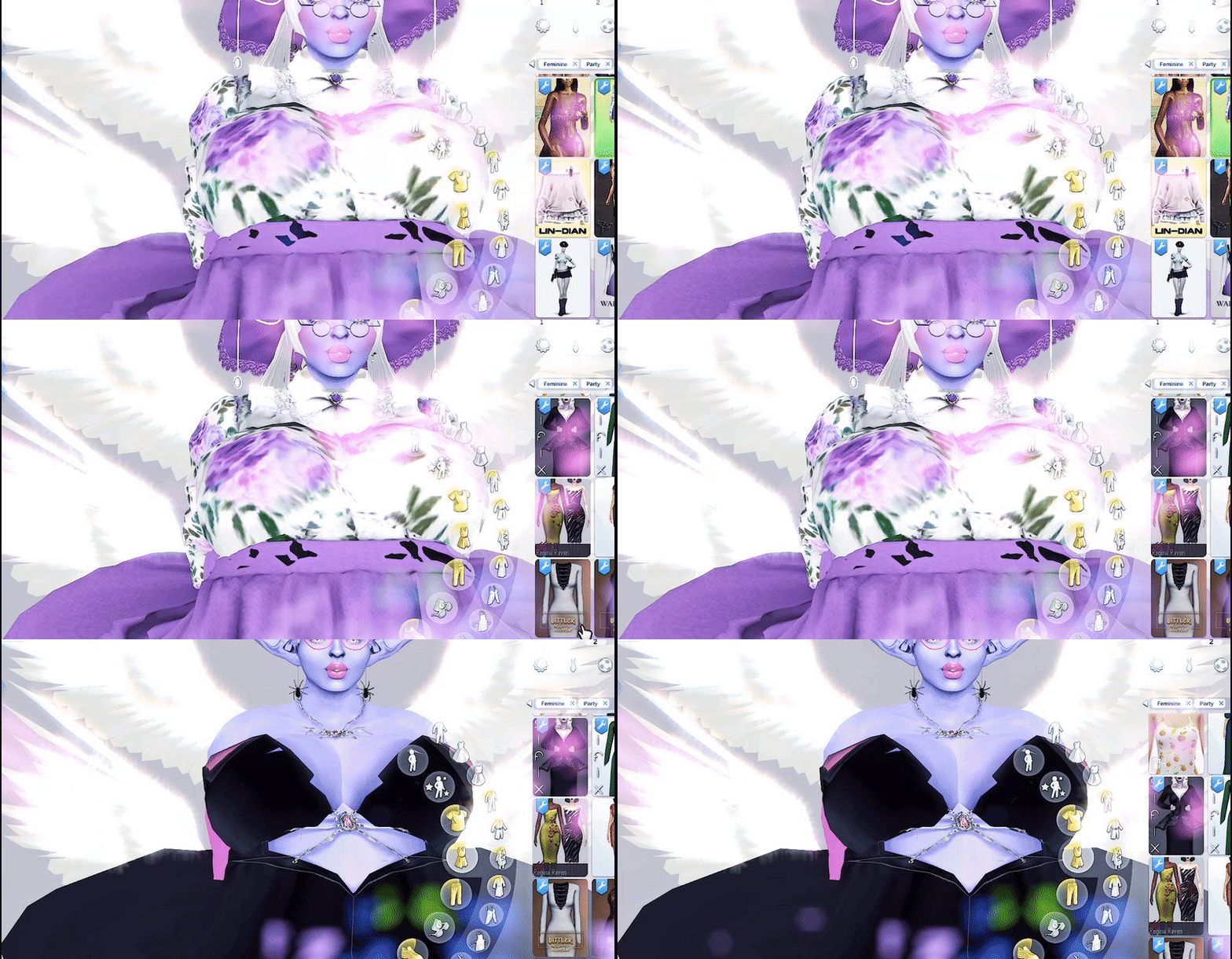
how his settings.ini looks in game: it's a soft boing-wiggle that doesn't alternate individual cheeks nor boobs. try it out!
- - - - - - - + + + + + + + + - -- - - - - - - - - + + + + + + + + - -- - - - - - - - - + + + + + + + + - - - -
- OLD folders with 'RTBP' & 'RTBP MOD' WILL NOT WORK WITH PREVIOUS VERSIONS. only settings.ini will. so always fresh install. even with old versions, if you are backtracking (using older versions because newest one is glitching), fresh install and clear cache when updating. this will reset physics for sims when simulating.
- before installing run your game once with reshade / Gshade , close game , install RTBP , run game again to fully load both programs with your processor.
- allow reshade / gshade to finish loading before going in cas or in game. as you need your processor to simulate both allow the game to load first to avoid physics offsetting.
How I figured this out: letting my game sit for about 10-15 mins (more time if you have alot of CC even OVERNIGHT) and things settled and smoothed out. I don't have wild crazy physics because I give my game time to fully load before loading a save. I do this to avoid lag & body clipping from CC with a fully loaded game
- - + + + - TIPS & THINGS TO KNOW ABOUT YOUR MODS VS GRAPHICS CARDS - + + + - -
- missing body parts and offsetting of the chest and bottom is not from RTBP , it is from the bones assigned to the clothes that try to read RTBP along with your settings. people make modded clothing different ways and unless there is ever a seamless way for RTBP to add it's own bones & morphs that work with EA's sliders and presets it is unavoidable. you can restart your game to fix this glitch or reset it. this is why you should let the game fully load first.
- the COMMANDER will not work if RTBP is not installed correctly with matching files or mixmatch settings.ini names.
- COMMANDER connects to the sims once the game has loaded in by your processor and finds your game.
- ONLY run COMMANDER after you load your game not before it has load in like reshade / Gshade
- WW uses bones in body selector that connect to sims differently than RTBP, they both try to simulation physics with animations and can cause clashing. it is nothing wrong. just 2 things trying to do the same thing. it is best to let your game fully load and work with them as much as u can. while your settings will be one way the animations *might* have their own physics and conflict.
- RTBP folder does NOT go in the mods folder. it will not work if you do this. it goes in \Electronic Arts\The Sims 4\
- RTBP Mod folder only goes in the mod folder. it will not work if you don't this.
- it is important to update your graphics card for NVIDIA patches from your download notifications on your pc or whatever graphics card you use for RTBP + SIMS4 to run smoothly.
disclaimer: I do not have a new high end PC setup. I have NVIDIA / INTEL on a 2019 MSI. I say this as some people think they need a crazy setup to run mods like these. you just need organization, instructions, and new info to help! also I do not keep my CC on my same drive as my game which helps reduce lag and load time alot. I made a tutorial about how to do it here.
I also posted this tutorial on LOVERSLAB you can link to anyone who does not have patreon who is over 18+, this is just for my patrons who don't use LOVERSLAB and prefer to look through my tutorials tag
I hope these tips can help someone! - Ÿ