v3.128.01 [Premium] New Anime Video Upscaling Model / UI Quality-of-Life Updates
Added 2025-08-02 15:38:59 +0000 UTCThis is the Premium version, Premium features are Unlocked, you can use it Commercially, and will NOT ask you for donation.
You need to active the premium version for your PC, you can read this post to learn more: How to activate the Premium version
"Why my download got flagged as unsafe?". Click here to learn why there is "False positive antivirus alerts"
*You DO NOT need to re-activate the software if you already activated it, if you uninstall then re-installed the software, just enter the old activation code.
-
FULL Package:
-------------------------------------------------
Update Package (For v3.127.01 and Later versions):
⬇️ Scroll down to view the post Attachment ⬇️
You must fully installed v3.127.01 and Later versions before install the Update Package. 🔗How to install an update package
-
Sha256 (FULL Package):
9f5fd0a7d23ad86ef782effa86bf8c2eaa34c77b2e27b65657c1099bbc1504c0
Sha256 (Update Package):
ff66a36f9e36a1af31f8017a1ccc0fed0749709959d14acf6391d8ec161190f6
-
v3.128.01
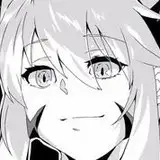
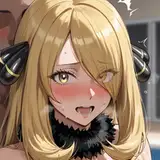
- ✨NEW Model: AnimeVideo-Mini-W2xEX, a tiny ESRGAN model trained for fast anime video upscaling while preserving decent detail reconstruction and denoising ability.
The anime upscaling quality of this model is significantly better than Anime4K and RTX Super-Res, coming close to AnimeVideoV3.
The speed of this new model is similar to Omni-Mini-W2xEX.

- NEW Feature: Add [Auto Apply] toggle for custom resolution presets. After enabled, while switching presets, the selected preset will be automatically applied to all files in the list.

- NEW Feature: Add [Default] preset for custom resolution presets, make it easier to switch back to the default custom resolution settings.

- NEW Feature: Add [Only Keep Failed Files] to the right click menu of [Remove Selected File] button.

- Improved compatibility with RTX 50 GPUs