WoS Beta Stable v0.5.5 Public + New Locking Onto Enemy Feature
Added 2023-05-01 04:10:00 +0000 UTCHello everyone, after a few days of public testing, I've received many valuable feedback.
So, in this update, I've added a new feature.

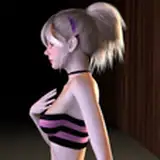
Locking onto enemies: Use the A key to lock onto enemies, and Luna will automatically face the locked-on enemy.
As a result, combat becomes more convenient.
At the same time, Luna's attack range has been slightly increased, making it easier for players to hit enemies.
In addition, I've adjusted Luna's attack speed and pause time, making attacks faster and the pause after attacking shorter, improving the combat feel.
Furthermore, Luna's default Stamina recovery speed has been increased, and running no longer consumes stamina when not in combat.
Finally, I've added a series of gameplay tutorials that I didn't manage to include earlier, such as using health potions, minecart control keys, etc., to avoid unnecessary confusion during exploration.


Thank you all for your support.
中文
各位好,经过了这几天的公开测试,我得到了一些很有意义的反馈。 所以,这次更新我加了一个新功能。
锁定敌人:使用按键A锁定敌人,露娜会自动朝向被锁定的敌人。
如此一来,战斗会变得更加方便。同时,露娜的攻击范围也被略微提高,玩家现在能够更容易击中敌人。
除此之外,我还调整了露娜的攻击速度和停顿,让攻速更快,攻击后的停顿更短,致使战斗手感上升。
另外,露娜默认的体力恢复速度也被加快,并且在非战斗时奔跑是不会消耗体力的。
最后,我添加了之前没有及时加入的一系列玩法教程,包括恢复药水的使用,矿车的操控按键等,以避免各位在探索的时候产生不必要的困惑。
感谢各位的支持。
Comments
I am going to create a key map in the future.
RoVerehr
2023-08-25 00:15:34 +0000 UTCIf you are using controller, you have to bind a button with A kay to trigger locking. Blocking is X kay. Icon on the bottom right indicate how many potion and smoke bomb you have.
RoVerehr
2023-08-25 00:14:44 +0000 UTCthis is very nice as I went from a controller to a keyboard to play this and I had no clue on what button i need to press. I probably would add one for blocking/parrying, sprinting, and the icons on the bottom right corner of 0.6.9 as i have no clue what that mean. also same for the status effects as I also got no clue what they do.
GlacierFox523
2023-08-25 00:09:39 +0000 UTC