A big update - asteroid cohesion, astrophysical jets, particle stabilization, motion blur and antialiasing, and a lot of bug fixes.
The build can be downloaded from Dropbox using this link.
Previously, the solver used strictly frictionless particles, behaving as an ideal incompressible fluid. This made any asteroids and non-spherical objects collapse into a sphere under their own gravity. The update adds an option for asteroids to simulate cohesion between particles, connecting them into chunks that move and rotate as a rigid body.
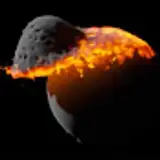
Asteroid collision resulting in a number of fragments, each made of a number of particles held together by cohesion.

Raytracer got a few improvements and fixes. One of them is motion blur, effect that blurs fast moving particles along the path they traveled from the previous frame. This leads to much more dynamic and cinematic feel to rendered images.
The magnitude of the effect is set by the parameter called 'shutter angle'. The full angle 360° means the particles are blurred along the entire segment given by their current and previous positions, 0° disables the effect. The image quality can be controlled by the iteration count - the more the particles move between consecutive frames, the more iterations is needed to get a clear image.
The effect is only applied while recording video, it is disabled when simply viewing the current simulation state.
Streaks of fast moving particles due to motion blur.

The update has a new simulation option for black holes, creating a jet of particles whenever it absorbs matter. The jet is perpendicular to the plane in which the absorbed particle moved. This is useful especially for simulations of accretion disks around active galactive nuclei, giving them the appearance commonly depicted in artist's impressions.
Note that the jets do not appear as a solution to "real" physics equations, rather it's a scripted event, similar to the stellar prominences added in previous versions.
A jet of particles ejected from the poles of the central black hole, surrounded by an accretion disk.

Stars now have variable surface temperature, showing irregular emission patterns and darker regions resembling sunspots (or starspots). This is mainly a visual improvement - giving stars some surface features adds more depth to the rendered image, compared to the uniform color the stars had previously.
Sunspots can be turned off in the simulation parameters of the star, if needed.
Image of Betelgeuse with constant temperature (left) and with variable temperature (right).

The default solver (IISPH) now includes an equation term that suppresses high-frequency noise. This prevent particles from spontaneously migrating around the surface, creating visual "bubbling" and damaging the surface texture. The noise suppression works by adding a small amount of viscosity to the solution, which gets smaller with increasing number of particles, making the solution more accurate as expected. The magnitude of this effect can be controlled by the parameter 'artificial viscosity' in the solver settings.
Previous solver (left) compared to the new stabilized solver (right).

The update adds an option to create a video from the simulation cache stored in history. This allows you to first run the simulation and then set up the camera parameters and lighting and render the final animation, or even multiple animations with different camera views, similarly to the OpenSPH workflow.
This option is available in the simulation tab, next to the replay button. The app will load every simulation snapshot stored in the history and render an image using current render settings. The time period between consecutive frames is thus determined by the caching period of the history, the video time step is not used.
Note that there are currently a few limitations that makes the history replay different from recording a running simulation. In particular, non-realistic color modes (i.e. coloring particles by velocity, density etc.) will not be properly updated (as the underlying data are not stored in history), object trajectories (past or predicted) will not show, and emitted particles (from comets, prominences or jets) will not be correctly interpolated. This will be addressed in future updates.
The raytracing renderer received two main changes. First, it allows rendering multiple iterations, which is necessary for antialiasing and motion blur, significantly improving the image quality. Second, the image is not rendered in a single frame but instead it is split into square blocks and rendered over several frames. This makes the UI more responsive and more importantly it prevents crashes due to GPU timeout.
The consequence of these changes is that the raytracer is no longer a real-time renderer. It is mainly intended for offline rendering of animations. It is still possible to view a simulation using the raytracer, though. It works by using a combined rasterizer/raytracer approach - when the simulation data or camera state changes, the image is quickly updated using the rasterizer to get an instant preview, and then refined using the raytracer.
The performance and image quality can be controlled by several parameters:
There are several new color modes that allows to view additional information about the simulation state.
Besides creating custom palettes, you can now choose one of several palette presets when viewing the simulation using a non-realistic color mode. There is currently 9 presets, including a black-body palette and diverging cool-warm palette.
Palette presets are also available for "cloud-based" objects - molecular clouds, cold dark matter and galaxies - that assign color to particles based on the local acceleration.
List of available palettes

There were a few changes to the object list. The asteroid field was replaced by two new objects that create a group of asteroids - a free group that can be placed anywhere in space with arbitrary velocity, and an orbiting group that orbits specified object. This option is useful for quickly setting up an asteroid belt, a group of moons or a planetary system.
Shaped objects now include an ellipsoid, creating a triaxial ellipsoid with an option to determine the shape from its spin rate, so-called Maclaurin spheroid. Ellipsoid is necessary for generating stable rotating planet, deformed from its spherical shape due to centrifugal force.
There is also a potatoid, generic customizable "potato-like" shape. The shape is generated using spherical harmonics up to the degree l=3. All shape coefficients can be edited in object properties, as well as randomized for quickly creating a random shape.
Comet collision shows a collision of a small asteroid with the comet 67P, demonstrating the cohesion force in action.
WASP-103 b is a simple simulation of a tidally locked exoplanet significantly deformed by tidal forces due to its close orbit around the star WASP-103.
In Two ringed planets, two non-deformable planets orbit each other, showing the effect the gravity of the companion planet has on their ring systems.
The preset Accretion disk has been updated to include newly added the black hole jets.
Grand Void
2023-10-15 07:45:28 +0000 UTC