[ Attachment content ]
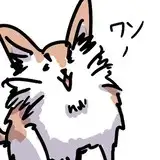
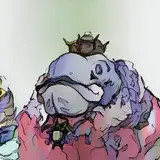
- Float : process images, process GIF, final-result (150 dpi), pure-line version (150 dpi)
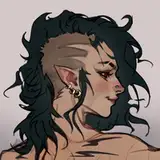
- Lingerie Dante: process images, pure-line version
- PaintTool SAI ver2 brush settings & texture
[ 附件內容清單 ]
- Float: 過程圖解,過程GIF、150dpi插圖、150dpi純線稿
- 絲襪蛋丁:過程圖解、純線稿
- SAI 2的筆刷設定和材質
---
As for the process of Float, I recommend downloading the GIF version so it's more clear comparing the difference of each step.
As for the brush settings, I change brush size very often. And there's no strict rule when to use which brush. I just switch brushes randomly and see which is easier to control for the moment.
And here starts the gibberish:
I have compared using PS, Paintstorm, CSP, PaintTool SAI(v2), and personally like using SAI to capture the anatomy. Maybe it's because SAI is a rather small software so it gives me the simplest & cleanest line strokes which are easy to read . (I guess FireAlpaca and other free software can do the same) Though I'm not good at applying line-weight and shading. I'll find ways to improve these in my next drawings.
I also want to learn how to ink with black color, instead of red x_x So far I'm still easily lost while using black, starting at dealing with small details too early and ignoring the bigger structures. But I don't have a good grasp of the balance between inking and blank space while using red, blue, purple...etc..
I'm currently testing using SAI for sketching (using red/blue), and switching back to PS for inking (with black). For now I don't have a concrete result yet and I'll keep testing.
===================
推薦下載GIF過程圖,會看得比較懂(?)每個階段的差異在哪裡。
筆刷設定的部份,我有快捷鍵強迫症,畫圖時幾乎是隨時隨地都在增減筆刷大小。另外沒有特意規定什麼時機會用上哪支筆刷,都是隨性換,哪隻當時用起來順手就用哪支。
一些(廢話居多的)畫後檢討:
試過PS、Paintstor、CSP、PaintTool SAI之後,目前感到用SAI來捕捉人物動態/透視/結構時最順手。可能因為SAI本身是很小的軟體,筆刷引擎比較精(陽)簡(春),所以呈現出來的線條反而最清楚、最容易識別。(一些免費的繪圖軟體應該也能做到類似的效果) 但我還是很不會畫帶有粗細的線條、或是處理陰影等等,這部份還要再研究怎麼改良。
另外也想減少對使用顏色畫線稿的依賴...該來練習怎麼用黑色啦!(一種大家都會得理所當然,唯我學不會的感覺) 至今使用黑色畫線稿,我還是會不小心太早就開始刻細節,忽略了比較大的結構。然而若不使用黑色(比方說紅、藍、紫等等),我則會忽略掉墨色與留白的平衡。
我還在測試使用SAI畫草稿(使用紅或藍色),然後傳進PS上墨線(黑色),目前還得不出比較能看結果,就留到以後再分享吧!