How to use PSD files!
Added 2017-01-05 04:34:23 +0000 UTCHello everyone, thank you for your support, I am very grateful.
In order to let everyone know more about how to use of psd,
I wrote a little brief teaching.
You can create custom CG or gif by yourself,
and you can get full size CG or gif in the PSD (Average more than 2000*2000),
if you like it, please support me, just $5 per month.
If you don't know how to do it, here's a simple tutorial to get you started.
If you don't have Photoshop, you can download the trial version here:
https://creative.adobe.com/products/download/photoshop
?You need to create a Adobe ID.
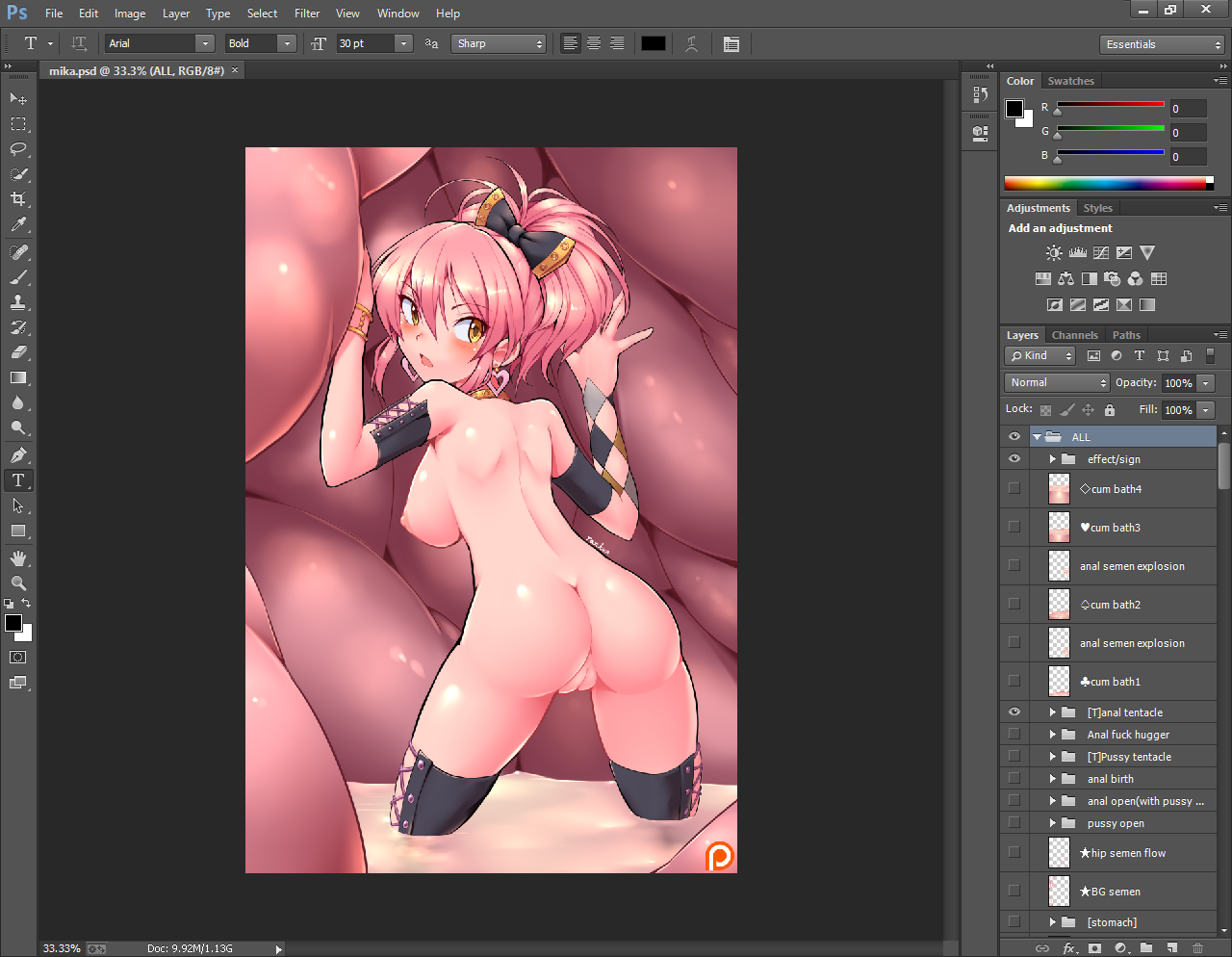
When you are finished installing, you can open a PSD by it.
http://s6d6.turboimg.net/sp/8a32659251bf1c057a4311564bf8ec8a/1.png
Now you are in the Photoshop main interface,
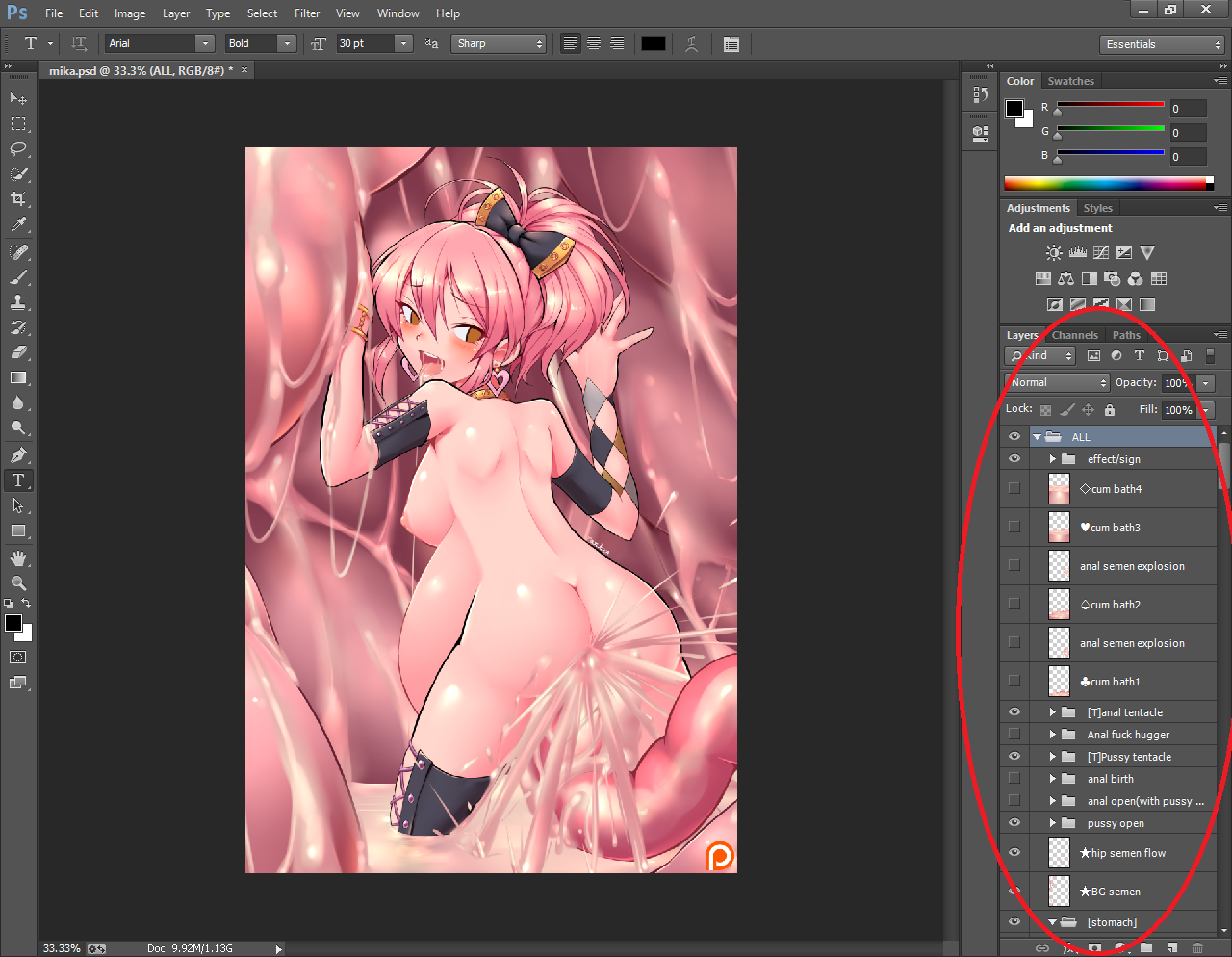
you can edit it on the right Layers.
http://s6d6.turboimg.net/sp/5dad8849b4f4f3b000bb764afd48e0f7/2.png
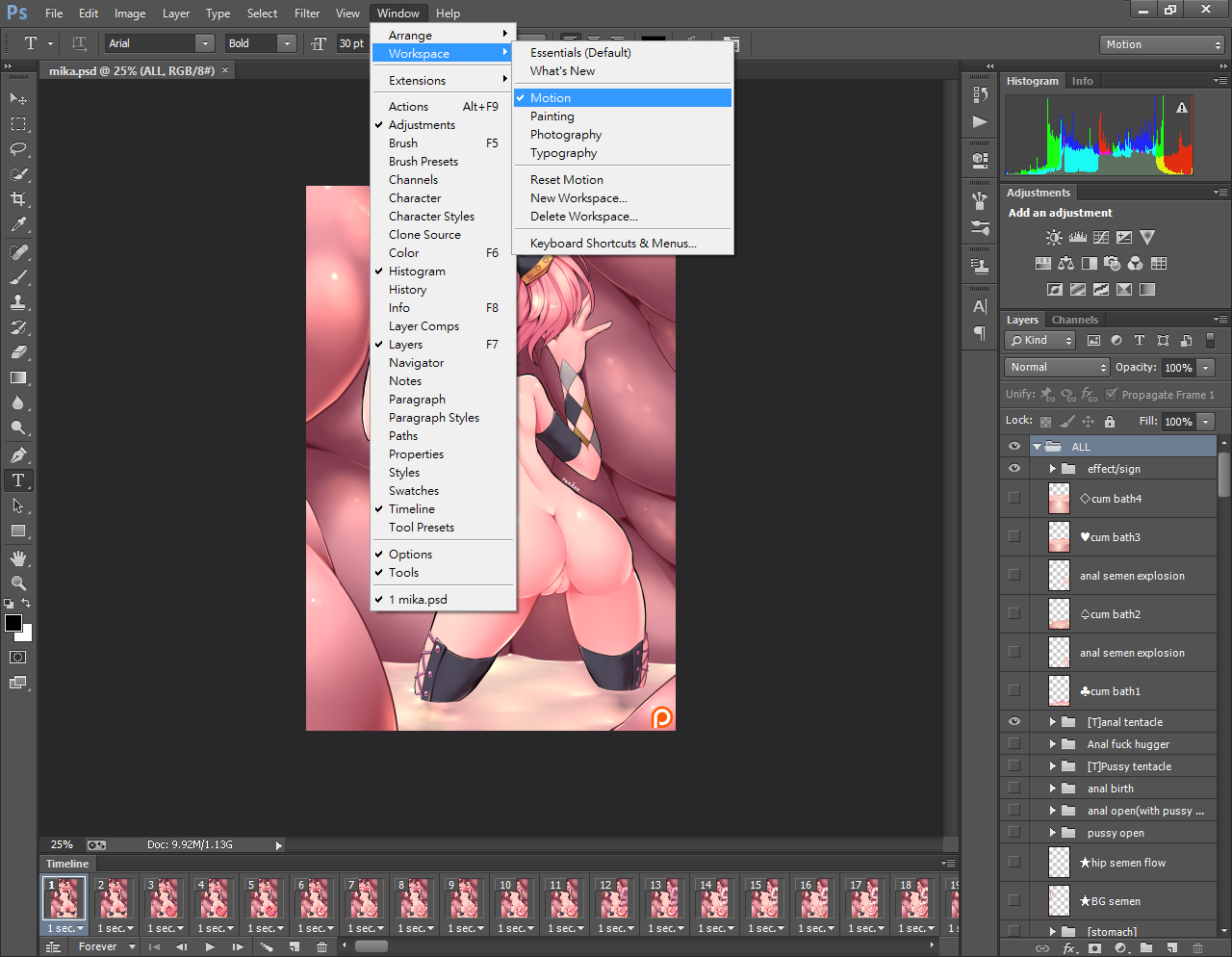
If you want to create a gif,
you should first switch from Essentials mode to Motion mode.
http://s6d6.turboimg.net/sp/0d84d97844f17523c7d6dd908ab77037/3.png
In Motion mode,
you can click here to view the options for this mode.
http://s6d6.turboimg.net/sp/bd17ff0346f54e4df5136ea3d46243a9/4.png
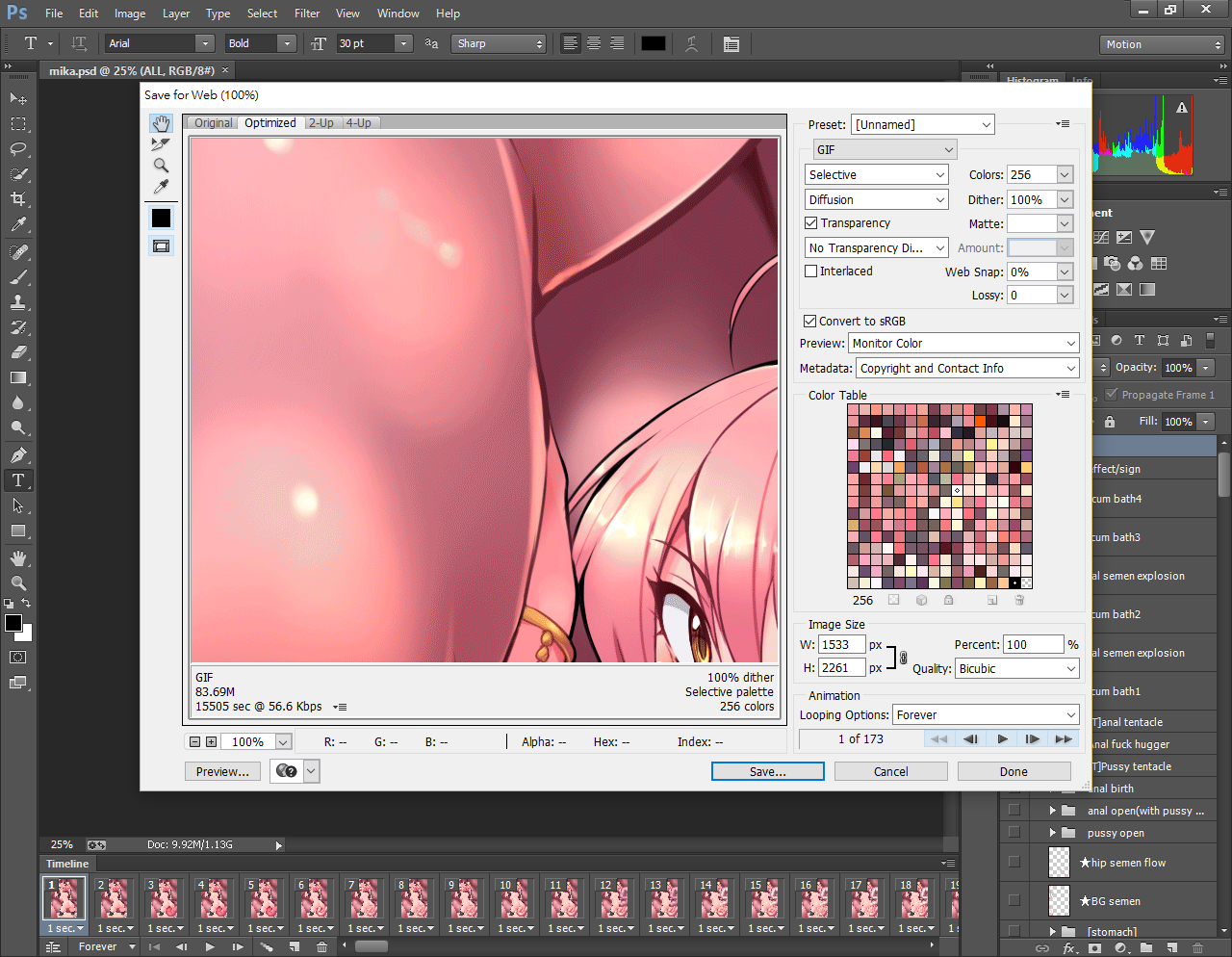
When you finish editing, and you want to save as gif,
press "File>Save for Web", and wait a few minutes.
?Please note your computer's memory will be loaded heavily.
http://s6d6.turboimg.net/sp/b14877f2c5e233fe3e602f13a1f56ab6/5.png
You can change the gif output size,
and some of the details of the changes,
press save, and choice "image only".
Now you have a unique gif.
https://drive.google.com/open?id=0B99NeCuDdwz4T3JGUjJFSFVzT00
Of course you can also create your style CG, in full size!
press "File>Save as...", just save it to the jpg or png,
and you'll get it!
http://s6d5.turboimg.net/sp/e7f2cf6ea06c1749bf4e575015da8472/Hilda.png
http://s6d5.turboimg.net/sp/10e606b777cda96d66d4acb3f4a8d2c6/mika.png
http://s6d5.turboimg.net/sp/3488ec8e5277ca1d63f9879f61b5aede/Azusa.png
http://s6d2.turboimg.net/sp/77df6cd072aa5ac2f3dc860614fba2bd/PP.png
Special Thanks : SONIC