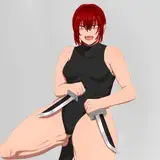
I don't usually share the boring greyscale shading but I'm liking how this is looking so far! Once my base greyscale values are done, I set a colour tint Overlay layer above to change it all to a certain hue, then merge it down so that my once greyscale shading is now in that colour. (Usually a greyish blue or purple, see 'A.')
From there I duplicate the shading layer so that I have two copies, and set the lower one to Multiply at around 70% and the upper one to Overlay at around 20% (See 'B.') These numbers can vary, though depending on the scene! This adds a nice pop to the values/contrast as opposed to just a Multiply layer alone. :)
From there it'll be just tweaking with extra Overlay layers of soft airbrush colours to add more colours and depth to the image.
Diesel Benson
2023-01-18 21:49:54 +0000 UTCRueme
2023-01-18 20:45:17 +0000 UTC