Looking to make a symmetric illustration or pattern on Procreate? Here’s an easy way to make your work symmetric without having to copy/paste elements or take extra time drawing individually with one simple setting!
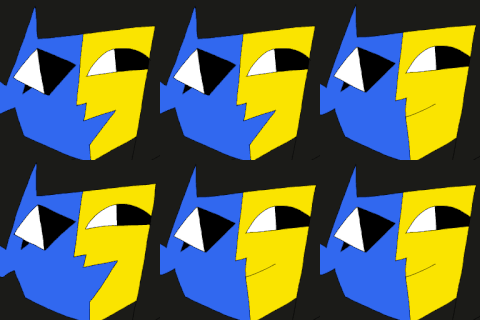
Here's the finished result:

1. Open Procreate and create a new canvas. I chose 1080x1080 as it’s easier to design a pattern in a square.

2. Click on the wrench tool in the top toolbar and toggle the ‘Drawing Guide’ on. Next, click ‘Edit Drawing Guide.’ Choose the ‘Symmetry’ option and then click ‘Done.’


3. When you click on your layers panel, you’ll notice that the layer has ‘Assisted’ underneath the layer name to let you know that the Drawing Guide is on for this layer. Start drawing and you’ll notice that everything you draw is reflected on the other side!

4. Continue drawing until you’re satisfied with the final result. I thought this design would look cool on a bandana so I mocked it up on one to see how it would look. Have fun and get creative with what you can make!


--
Tutorial by Anna Korol. Anna is a graphic designer and illustrator based in Chicago and a graduate of the University of Illinois at Urbana-Champaign. She loves creating vibrant illustrations that she hopes can positively inspire others.