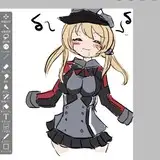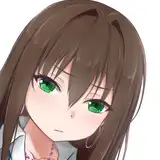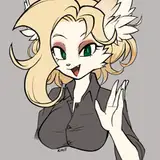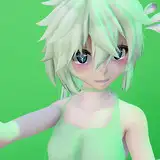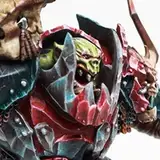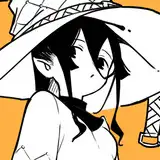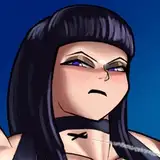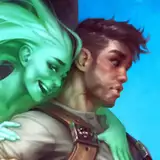
Illustration gallery (sort of)
Added 2018-12-04 13:10:43 +0000 UTCBrowsing all my illustrations here on Patreon can be a little bit tedious since there's no gallery feature on the site, and some of you asked for an easier way to see all the illustrations.
I've attached a zip file to this post that contains all my Patreon illustrations so far. I hope this makes it a little bit easier. :)
Comments
Most software can open PSD files, but there are some layer types, like adjustment layers for example, that the other software won't know what to do with, so I sometimes just copy my file and flatten the painting in that and then open that in the other software. If your workflow isn't dependent on keeping things layered through the whole process, then it works pretty alright. Also look out for blending modes being interpreted slightly different if you keep things layered. I've noticed some subtle differences between software there.
Calm
2022-01-12 19:22:33 +0000 UTCone last question: is there a shortcut for you to switch from one software to another or do you save the file in photohop and then open the same file in the second program?
Julio Santos
2022-01-12 18:57:27 +0000 UTCThe program is called Paintstorm Studio. I kind of flip-flop between it and Photoshop depending on how I'm feeling and what tools I wanna use. They each have their strengths and weaknesses. Paintstorm's advantage is that it feels very responsive if you have a decent GPU, and its brush engine is great. The downside is that it doesn't have adjustment layers and it has a max brush size of 1000 pixels, which can be a little bit too small sometimes. It's masking and selection tools are also not quite at Photoshop's level. So it's a software that may or may not work well for you depending on what workflow you want to use. As for brushes, I change mine way too often to feel like I have a set I can share as "the brushes I use". 😅 I kind of just change my brush settings dynamically based on what I'm doing or how I'm feeling. But if I have a set in the future that I feel more confident in, I'll probably upload them here.
Calm
2022-01-12 18:39:50 +0000 UTCHey. What program do you use in "Calm illustration #76"? Doesn't look like photoshop. I would like to know what the program is and take the opportunity to ask you to share its brushes. lol
Julio Santos
2022-01-12 01:43:02 +0000 UTCHey, welcome! Normally the code will be included alongside the rewards you'll receive on the 7th each month. But throughout January you won't have to wait for that. You can use the code 'newyear'. :)
Calm
2022-01-09 20:57:39 +0000 UTCHi, When I get the discount code for gumroad?
Julio Santos
2022-01-09 20:50:37 +0000 UTCHi Calm! Long time fan here and finally able to subscribe again! Absolutely love your work, so much so that I'm aiming to give it a go as an erotic artist myself! I'm not trying to be the next you though so don't worry you're way better than I am XD. I'd like to ask you regarding your work, when you sketch ideas and poses in thumbnails and exploration drawings etc, are the poses all from imagination or do you find the poses/angles you want online and reference from those? I currently use the reference method which I know is smart as an artist to do, but I always worry that my work is too close to reference than having it's own unique flavor and sometimes the reference just doesn't match up with the idea in my head in terms of camera angle or composition etc. Also, do you sketch with a soft brush and then just carve away the soft edges with a harder brush? Sorry for long post I could talk this stuff for days XD
2021-11-27 00:53:29 +0000 UTCNot at the moment unfortunately. I usually just use simple round brushes, so there hasn't been much to share beyond the ones you already find here. If I end up using more advanced brushes in the future I'll probably share those or link to where they can be found.
Calm
2021-06-06 17:59:26 +0000 UTCis there a place to get more of your brushes?! :D
jt
2021-06-06 17:43:07 +0000 UTCHey, Joni, welcome! It's fun to hear you're enjoying it! That means a lot to me. :)
Calm
2021-04-12 10:33:04 +0000 UTCHi Calm. I was doing a reverse image search on a pic I have and discovered one of yours in the “similar images” and was blown away. Wow, such amazing work. I knew I had to stop by and see more. You are very talented!
Joni Lynelle
2021-04-12 05:28:39 +0000 UTCHey, welcome! And thank you, that's nice of you to say! I'm happy to have you here. :)
Calm
2021-01-27 14:51:20 +0000 UTCI made Patreon just for you. One too many times I have seen your awesome work. If someone deserves patrons, that is you. Fantastic job, I love everything you do.
Merope
2021-01-27 10:50:21 +0000 UTCWelcome, Jessica! :) I'm happy to hear you like it! I hope the work-in-progress stuff will be useful to you.
Calm
2021-01-07 18:36:36 +0000 UTCI'm a new patron and I just gotta say that your work is so hot AND beautiful. Thanks so much for posting your in progress works as I am also an aspiring erotica artist!
Jessica Montgomery
2021-01-06 03:50:45 +0000 UTCHey, happy new year! And thank you! Glad to have you here. :)
Calm
2021-01-06 03:09:02 +0000 UTCHi, I'm new. Awesome works. Happy new year.
budgames
2021-01-02 18:37:47 +0000 UTCHey, welcome! Happy to have you here. :) And thank you, I'm glad you like it!
Calm
2020-11-21 19:47:03 +0000 UTCHi, I'm a new patreon. Beautiful work, and thanks for giving us this archive.
Count Toto
2020-11-21 16:31:45 +0000 UTCHey, Furlana, welcome! I'm glad to hear you're enjoying my work. :) These brushes are a Photoshop tool preset file, instead of the .abr format you might be used to, which means in older versions of Photoshop they keep more of the brush settings, like opacity and flow percentages. But after CC 2018, I think, the .abr format also does that. And, if I recall correctly, if you import the .tpl file into newer versions of Photoshop via the tool preset window, it'll ask you if you want to add them to your brush library instead of your tool presets. With that said, the brushes you get here are just a tiny handful of very simple brushes, and you get almost the same ones as default brushes with Photoshop CC 2018 or newer versions. When you see the time lapse videos you'll also notice that I use another software called Paintstorm Studio. I still haven't quite settled on brushes there that I want to share as "the brushes I use" but I imagine I will when I've landed on ones I like a lot.
Calm
2020-10-09 13:24:29 +0000 UTCHey! New Patron here. I absolutely love the lush colors you use and as an artist myself I aspire to reach your level of skill! I'd like to ask however, how do I load the brushes you posted? Are those for Photoshop or do i need some other program for them? I'd love to check them out!
Furlana
2020-10-09 09:19:16 +0000 UTCYou're welcome! :)
Calm
2020-08-31 22:00:21 +0000 UTCThank you so much for these archives! ^_^
hirumono
2020-08-31 19:44:33 +0000 UTCHey, welcome! I'm happy to hear you like the illustrations! You'll receive rewards for every illustration I post while you're signed up, so when I post the next illustration towards the end of this month, you'll be on the list of people who receive the rewards for that one on August 7. And on the 7th each month after that you'll also receive new rewards for as long as you choose to remain here. :) I send those rewards in private messages here in your Patreon message inbox, which you'll likely also receive email notifications for. And if there are particular past illustrations you would have liked to get the reward packs for, those are all available over at my Gumroad page, at gumroad.com/calm. If you have more questions, feel free to ask!
Calm
2020-07-04 05:45:17 +0000 UTCHey" I love your work. I'm new patron. When do I receive the first reward? Do I receive by email? Thanks a lot.
Julio Santos Comics
2020-07-04 00:52:28 +0000 UTCHey! I'm glad you like my work! :) The Photoshop plugins I have are called Brusherator and Perspective Tools v2, which you can find at https://gumroad.com/kritskiy. The guy who made those has got a few other useful ones there too. Besides that I also use a program called Paintstorm Studio, which you might also like!
Calm
2020-06-21 11:53:42 +0000 UTCHi! Love your work :D, i noticed your videos in photoshop you have a plugin that has something to do with brushes, it was blurry so i couldnt make out the full name but it looked like “brushenator(?)”. If you could share which plugins you use that would be AWESOME! Thanks!
Chris Vargas
2020-06-21 06:58:27 +0000 UTCHey, welcome! I'm glad you're enjoying it! :)
Calm
2020-06-01 05:20:34 +0000 UTCJust discovered your work - Awesome! Thanks!
Nathaniel Allen
2020-06-01 02:50:37 +0000 UTCThank you, Brandy, I'm glad you like them that much!
Calm
2019-08-28 23:50:24 +0000 UTCAmazing work! I'm just falling in love with every single one of your illustrations! :)
Brandy Brooks
2019-08-28 23:00:58 +0000 UTCThank you, Sonny! And welcome! :)
Calm
2019-08-25 14:33:09 +0000 UTCNew Patron, This is great! And your artwork is top notch.
Sonny
2019-08-25 11:06:03 +0000 UTCThank you, Rob! I'm very glad to hear you think so. :)
Calm
2019-05-15 06:39:20 +0000 UTCNew patron. Your work is exceptionally good in technique and artistry. Bravo!
Rob Neal
2019-05-14 20:43:40 +0000 UTCNew patron here too and super appreciate this post!
Sleepnir
2019-02-19 20:14:00 +0000 UTCThanks so much! Love your work~
Griffin Barrows
2018-12-12 13:35:52 +0000 UTCThanks! As a new patron, this is really helpful!
JC
2018-12-08 19:54:07 +0000 UTCThanks for the zip files. Well done, Sir
Ralph DeSha
2018-12-07 03:53:52 +0000 UTCThank you for the awesome gift!
Kenneth Winkelman
2018-12-05 01:02:29 +0000 UTCFantastic stuff!
Chopsockey
2018-12-04 23:28:44 +0000 UTCAwesome, thank you!
Faxmachinen
2018-12-04 17:08:30 +0000 UTCThank you!
Eric
2018-12-04 15:01:49 +0000 UTCYeah, I imagine I might update this post with more content later to add sketches and some other stuff too. :)
Calm
2018-12-04 14:43:32 +0000 UTCMight be a good idea to make a similar file that's a backup of all your tumblr sketches as well, since that's about to eat itself alive.
Yujate
2018-12-04 14:16:18 +0000 UTC10 / 10
Gazukull Thraka
2018-12-04 13:48:32 +0000 UTCWow, cool! Thankies! *hugs Calm*
Rysky
2018-12-04 13:45:52 +0000 UTC