Today we have some good news, bad news, and more good news for you, so we'll try to sneak the bad news in in the middle and hope you don't notice ;)
This week, we made progress in all areas. There's only one more scene and one updated background left for artwork. We have one music track locked in, and hope to have one more ready for the next patron release. We're slowly but surely working through the writing. And our coder has been very, very busy.
That brings us to the bad news. After asking you patrons to test the public release ahead of time, the bugs with saving and loading on Android were revealed once again. We solved these before by asking for file permissions, but that same fix is not working any longer. Our coder has talked with several other devs and PyTom himself, and it seems that Android 11 has cracked down on security. The newest version of Ren'Py should work with Android 11 right out-of-the-box, but updating to it on our end causes some other problems. We believe we have resolved the issue (confirmed by a few testers), but the problem is that old saves aren't being recognized.
But here's the other good news: old saves are still compatible with the new version, they'll just have to be moved to the correct file location (normally Ren'Py can do this automatically, and all you'll need to to is download the update and everything just works). So here's what you need to do:
PC:
If you still have the last version of the game, navigate to it. Go to the Park After Dark/game/saves folder and copy everything you find there. When you download the new version, paste your saves in the same Park After Dark/game/saves folder. You may need to create the saves folder yourself.
If you don't still have the last version of the game, you'll need to go to C:\Users\<yourname>\AppData\Roaming\RenPy. There will be a folder called ParkAfterDark-<randomnumbers>. Your old saves should be inside that folder. Copy them and move them to the path of the new download given above. Alternately, if you run the new game first, a new park_after_dark folder should be created in the Roaming\RenPy folder, and you can drop the saves right there.
This process has only been tested on Windows, but we're sure the Mac and Linux processes are similar.
Android:
This is slightly more complicated because of the Android security features mentioned above, but also slightly easier because the paths are more manageable. Once you put the new update on your phone, you'll probably want to start a new game and save it just to make sure all the paths are created correctly. Then you'll need to connect your phone to a computer in order to access the path to old saves: Phone/Android/data/com.sidgaming.parkafterdark/files/saves. Copy whatever you find there and paste it to Phone/Android/data/com.sidgaming.pad/files/saves.
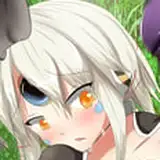
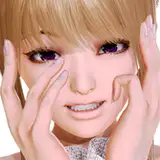
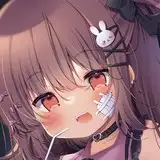
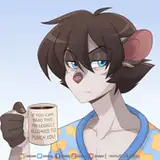
We'll be reposting these instructions when the public update drops, and of course you can always ask for specific help on our Discord. New users or anyone who just wants to start a new game won't be affected. We apologize for this extra trouble, but we hope that you agree that it's better than losing your old saves completely. Please accept this preview of one of Aurora's new outfits as atonement.
More previews and progress updates are on the way!
-SID Gaming