Here's a process for the "White Rabbit in a Crowd" illustration.
This one is quite messy since I corrected a lot of parts while coloring. Lately, I noticed I find more mistakes after posting the art on Twitter (I post first in Twitter). For this art, I waited a few weeks before posting and I did find a lot of mistakes in those weeks! I think it was a good idea and I might do it more often...if I get the time to draw originals!
Steps:
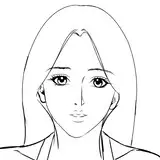
1. Sketch
2. Lineart
3. Basecolor - For this step I started painting the background, roughly painting the background crowd and fully colored the eyes.
4. Coloring - I roughly painted the shadows and light. I ended up polishing the shading on the hair, face and white top. However, at this step I'm still unsatisfied with how everything looks.
5. Coloring Continuation- After applying the lights and shadows, I saw that the form and face looked off. In this step, I fixed the length of her arms because it was too long, reduced the size of her head and modified the train station in the background so it appears further. This is the point where I stopped working on it for a while to see if I can find mistakes on the character after taking a break from it.
6. Coloring Continuation - I fully colored the background characters and added details like her pendant. I noticed a lot of mistakes in the overall composition and characters' faces. I tilted the character to match the background, modified the shadow on her face improving the overall 3D shape of the face and changed the way I shaded her hair to add more detail and dimension.
You can clearly see the process in the GIF file below:

↓↓↓ Please download all the process shots and gifs by clicking the link below ↓↓↓