I managed to sneak in my scanning chores, so all the pages for Chapter Five have been turned into little computer blips and blops thanks to the ancient but reliable large-format flatbed scanner at Emily Carr University. I've been using this same scanner since The King's Shilling (DD2) back in 2015, a decade ago! I'd love to have one of my own but they're comically expensive, I don't know where I'd store it, and I like not having to worry about what to do if it needs repairs.
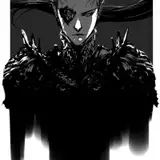
In this post, some technology- and tool-related thoughts, and some things I watched that made me happy. Plus, like the following example, a selection of raw images straight from the scanner, unprocessed except for some scaling.

[ Above: the scans are so nice, I can see the little undulations and imperfections in the paper. This is a feature, not a bug. ]
KRITA
Krita is a free and open-source painting application for Windows, Mac, and Linux. I'd been meaning to eventually look at it as a competitor to Photoshop and Clip Studio Paint, but when I stumbled on this video by David Revoy outlining Krita's automated "flatting" helper tool, I made it a priority.
 "Flatting" is the process of preparing a digital comic page for easy colouring. The process is not dissimilar to filling in a colouring book. It's time-consuming and not especially engaging, and it's what I'll spend the next month-or-so doing for Chapter Five. Naturally, I'd like to speed up the process.
Photoshop offers no special tools for this task, unless you count the fact that its interface is well-designed, it performs well (I use the "2019" version), and I have tens of thousands of hours of practice with it.
Clip Studio Paint offers some tools that are meant to aid the flatting process. I tried them, but didn't click with them. But then, I also haven't clicked with Clip Studio Paint generally. (Sorry!)
Krita's approach seemed new and different, so I thought it might work better. I gave it a try. Below, the loose scribbles I offered Krita for it to run its magic on (if you want to dive into the details, watch the video).
 After some processing time, it gave me this:

What I'm looking for is solid colours that cleanly fill the individual elements of the line art. The results are not perfect, but I've also never seen anything work quite this well, especially on my own relatively loose line art. You can colour me impressed (so to speak). This is very cool.
That said, I also don't think I'm going to use it. The initial step in Krita's method is faster than my old way, but! I would still need to separate Krita's processed results onto different layers and tidy up small mistakes. Would I net any time savings? Maybe a little, but I'm guessing it wouldn't be enough to offset the extra work, the fiddly nonsense of switching apps. Not when I can just pop the file open in Photoshop and just get to focusing on the flatting. There is value in keeping things straightforward.
I think I've concluded that if I want the process of making these pages go faster, I'm not going to do it by finding a clever software automation. I'd need to rethink my whole approach, and I am not at the point in a project when that's a good or rewarding thing to do. No, the only way to make this meaningfully faster while maintaining the same look would be to hire conscientious, skilled artists to help (like I did for DD3).
That said, Krita seems great. If I were to move away from Photoshop, I might try Krita first.
(Side note: On the other hand, even though the brush "feel" is very nice, the brush rendering with big, soft brushes can get blocky-looking. Affinity Photo suffers from the same problem. I've seen it blamed on not having "dithering" in the brush rendering. Photoshop, CSP, and Procreate do not have this problem, in my experience.)
THE CHANGING SOFTWARE LANDSCAPE
I've only used it for a day or so, but Krita seems like well-built, generally cruft-free software, and that's an increasingly rare thing to find.
Will Smith (not that Will Smith) similarly feels that good-quality software is thin on the ground and has launched a newsletter with the goal of outlining this problem and providing some solutions or coping methods. It's over at next.content.town. You can hear him describe it in more detail on the most recent episode of his and Brad Shoemaker's tech podcast, "Brad & Will Made a Tech Pod." We need a guide through the gloomy mire of today's software environment, and it sounds like Will's going to try to do that. Valuable work! I support him.

[ Above: the downside to using someone else's scanner and computer is I'm not as familiar with the software as I would be with my own. The Epson scanning software is… not flawlessly designed. For example, in the image above, it kept crushing Dad's hair down to a solid black. I do not want that, I want to see the variations just as I would with my eye. If any blacks are going to get crushed, it's going to be me that does it, not some automated setting. There's a little indicator in the Epson software that suggests it is doing auto-exposure on the image. It looks like a button. It is not a button. No, it's just an indicator. I had to dig around in the non-intuitive interface to actually find the setting to turn auto-exposure off, and get detailed blacks like above. Not great, Epson! ]
SPECIALIZED TOOLS YOU CAN TRUST
I love that Emily Carr University's Epson scanner is still going strong and delivering excellent scans even though it must be the hardest-working scanner in the province. I like to think that if I spend the CAD $4800 it would take to buy a new one, it would perform with that sort of consistency. That seems so expensive, but then I guess it's a very specialized tool. Not a lot of people have need for a large, full-colour flatbed scanner. For those that do — me — maybe there's simply something to be said for ponying up for the things that make the job much more convenient. I could get by with my dinky letter-size scanner, stitching scans together, but — like hiring artists to help me with the flatting — the large-format scanner makes a four day job take half a day, and the results look good and are reliably sized. Is that worth almost $5000? Well, I still go to the University, so I haven't had to make that call.
I was thinking about that when I put on an old episode of MISTER ROGERS for me and Kiddo to watch. In a segment about how player piano rolls are made, I saw this (timestamped link to the video):
 To brand and trim the end of the piano roll, this woman uses what I must assume is a custom-made tool: it's got a levered stamp for putting the company's logomark on the paper, and then two bladed arms arranged to slice the end at forty-five degree angles. You can't order something like that from Amazon. It's fascinating to think that at one point, "piano rolls" was a profitable-enough business to warrant all this specialized ingenuity and outlay. (I was wondering, "what must have happened to that machine?" but it looks like the company from the video is still in business, in some form or another.)
MISTER ROGERS NEIGHBOURHOOD
Every single one of Mister Rogers' "how things are made" segments amazes me. Maybe you've seen the one about the crayon factory. It feels strange to moan about the price of a nice scanner when someone's invested in dedicated crayon-labelling machines. Obviously the scale and nature of the work is wildly different — industry versus art — but it's still fun to think about how we choose to invest in our endeavours.
Do you need a reminder to watch Mister Rogers' Neighbourhood?
Please watch it. Fred Rogers' caring nature, genuine curiosity, and whole-hearted enthusiasm about the wide world is just unbeatable. We all knew that, but it really is a treat to spend some time with this show again, especially revisiting it as an adult, with all the things that have changed over time (or not).

[ Above: the more I do it, the more I am enjoying inking. Sometimes you get a mark or a line down and it's just perfect. It's more rewarding than my old method — making the finished lines with a pencil — because a brush is both more expressive and more unpredictable. But then it becomes a game of, "how long can I keep this streak alive (so to speak)? How long until I make some gaffe that drags the whole thing down?" And then you finish up a panel and look at it as a whole and those little battles are forgotten, and somehow the illusion of depth and weight and light and dark emerge from a series of carefully-placed ink marks. And if I'm lucky, the marks support the panels to support the composition to support the story — that invisible, intangible armature — which is their most important job. Still, it's hard not to zoom right in and take pride when a line turns out nice. ]
GOOD NIGHT OPPY
If you need more heart-warming, faith-restoring viewing, let me recommend this documentary about the Spirit and Opportunity Mars rovers.
Context: for some reason, I am an absolute sap for Mars rover stuff. When I learned that Curiosity sang "happy birthday" to itself, I cried and cried. Something about imagining a herky-jerky robot buzzing out a little birthday song to itself, all alone on an inhospitable planet, whoof. That got me. But then, the inherently spectacular, quasi-incomprehensible majesty of space gets me.
This doc is packed full of beautiful, expensive-looking CG imagery of the rovers wheeling across the red planet, but what really delighted me was that it's also packed full of Mister Rogerses. I fell in love with each of the curious, whole-hearted, passionate NASA nerds who bent themselves toward the singular task of exploring another planet. Remotely!
I am finding both Mister Rogers and the crews of the Spirit and Opportunity rovers wildly revitalizing. I can't recommend them enough.

[ We ride for fundamental optimism about the intelligence and moral character of our fellow human! Get in or stay behind to clean up after the elephants! ]
- - - - -
As mentioned above, my next task is to prepare Chapter Five for colour. There are some small side-things, too — little projects that need exploring — and I want to give them a little time, but instead of getting ahead of myself I'll talk about those if and when there's something worth sharing.
Until next time,
I remain,
a profitable-enough business to warrant all this ingenuity and outlay,
TC
Charles Riffenburg
2025-02-19 23:46:55 +0000 UTCglenn
2025-02-19 22:38:12 +0000 UTC