Asset: Hologram Shader for Blender
Added 2022-01-19 00:04:36 +0000 UTCAnd here's the hologram shader asset!
I enjoy all the things that this shader can do, but I also think it could be potentially overkill if all you want is a little glowing thing in the background. If you ever feel like making your own version, you can always just raid this one for parts; append some of the node groups, like flicker or scanlines or whatnot, into another project and use them however.
Download:
Hologram Shader
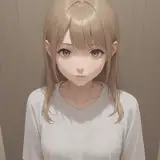
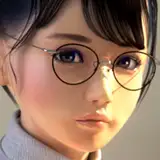
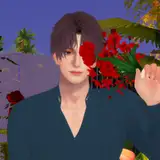
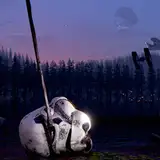
It really is fun to just dump random jpgs from my computer into it and see what happens.
Here's a reference image of a traffic light:

Here's an old credits page

And Ponyo.

And dropping in screen captures of node groups looks pretty slick!

Comments
So rad! Thanks.
Hairynscary
2022-05-15 22:25:53 +0000 UTCThanks! Gonna give it a try
2022-04-27 05:05:53 +0000 UTCI've just ended up appending the collection every time to duplicate.. Then just drag it into the same collection. Probably not the best way but it works
G
2022-04-20 20:40:34 +0000 UTCIs there a possibility to make a copy of the shader without affecting the original shader for say, We want to have plane X displaying image A through the original hologram shader and plane Y displaying image B through a duplicate hologram shader. In reality plane Y still displays image A instead of B unless we do a lot of node group diving and changing every linked node to a seperate copy and so on. Getting rid of this hassle could be very useful especially when we want to have different holograms with different images but still using the baseline effect of the shader in our scene.
2022-04-13 11:51:28 +0000 UTCThanks for explaining!
Cat
2022-01-27 01:20:46 +0000 UTCI have been dumping random images into the shader for two hours now. So cool. If you animate the color palette, you get an psychodelic overkill XD
Manuel Grewer
2022-01-22 13:35:23 +0000 UTCI would say that's because it's an Emission being Added to transparent, basically an Add blend mode, and things that are additive-only can behave in ways people don't expect once you introduce alpha to the equation. Blender forums are full of people asking why they can't see bloom in their transparent PNGs. Long story short, PNG can't store additive pixels, assuming that's what you're rendering to. EXR can, although in this case it doesn't matter, since there's no alpha information in the shader anyway—you might as well render on black and just set the layer to Add in comp, same difference. If you actually want alpha information, you're going to have to go into the shader and set that up somewhere—simply removing the Add and Transparent will do that, since Emission shaders are solid, but it'll just make the whole plane opaque, which you probably don't want. So you'd have to dive in there and set up some additional color ramps and mixes to key out the values you want to be opaque vs transparent.
Carter Burr-Kirven
2022-01-22 00:27:54 +0000 UTCIt renders well, but saves an empty file if rendered with transparent background. It might have nothing to do with a shader itself, but... has it ever happened to you?
2022-01-21 20:50:37 +0000 UTCis this only for blender 3.0 or does it work with 2.93 too
2022-01-20 13:58:21 +0000 UTCLooks great putting a fighter-jet HUD as the source image, Thank you Ian :)
2022-01-19 22:32:40 +0000 UTCInteresting! I developed a similar shader (probably more simple than yours) using a mix of emissive and transparent shader (color to emission shader, alpha to transparent shader, mixed via color->invert->mix factor) and used modifier array to give some fake depth to the ologram
Michele Coser
2022-01-19 09:24:31 +0000 UTCcant waite to use it in the Next Musikvideo i am working on.
Bendeform
2022-01-19 08:50:16 +0000 UTCLove the Miyazaki Appreciation :D
2022-01-19 06:43:45 +0000 UTCthanks, I appreciate you.
Tolga Katas
2022-01-19 05:42:28 +0000 UTCSo so great to learn from!
German Bauer
2022-01-19 04:46:18 +0000 UTCNice!!!!
Tommy Shades
2022-01-19 01:52:09 +0000 UTCIdeally it should work in any 3.0+ version, but I wouldn’t be surprised if there were issues in versions before that, yeah :(
Ian Hubert
2022-01-19 00:40:26 +0000 UTCI get this issue when I open my file in an older version of blender.
Callof_ZON
2022-01-19 00:33:34 +0000 UTCWAIT WHAT? That is my constant nightmare. Just a sec.
Ian Hubert
2022-01-19 00:14:11 +0000 UTC