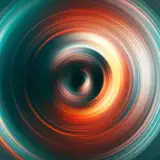
Asset: Night Harbor Shimmer Stock
Added 2020-04-04 21:41:37 +0000 UTCThese things are CRAZY useful- they're already cropped/looped optimized for video textures. I stick em in everything. If you have a still image you're trying to add a bit more life to, consider adding some shimmers!
I just uploaded a post showing how to use these guys.
Also, I don't know if I've said this before, but if I'm uploading stuff here, it's effectively creative commons (unless otherwise stated)- if you feel like, you can share it around or do whatever with it.
ALSO- I think this is my first time sharing stock in a "ProRes" format- let me know if you can't use it, and I'll re-upload in a different codec. This one just seems to work really well for me.
(right click save as)
All the Shimmer assets.zip
A google drive link if you want to download specific ones.

Comments
Great Job!someone, battleship textures?
2022-08-01 19:03:58 +0000 UTCMy gasworks are not excellent
2021-08-25 03:56:28 +0000 UTCI clearly have a 3D guardian angel. You have changed my life.
2021-06-03 10:12:15 +0000 UTCLike it's so hard to simulate atmospheric flicker on lights and real footage is realllllll.
Blake Rizzo
2020-04-09 22:32:47 +0000 UTCThese are so dang helpful oh my gosh. Here's a W.I.P thing with it! Used it on the background city https://youtu.be/KB21JCGJL1E
Blake Rizzo
2020-04-09 19:27:46 +0000 UTCOh yeah totally! Man, that bridge looks so similar to the Aurora bridge near Freemont.
Blake Rizzo
2020-04-05 22:35:16 +0000 UTCAH! Actually it's in Bremerton, filming over Sinclair inlet! Gasworks would be an EXCELLENT place to shoot something like this, though.
Ian Hubert
2020-04-05 20:00:00 +0000 UTCReally cool, thanks!
Phillip Park
2020-04-05 18:52:43 +0000 UTCI recognize that bridge!!! Gasworks!
Blake Rizzo
2020-04-05 17:57:56 +0000 UTCHe presses Shift + S
Kennisoan
2020-04-05 15:19:26 +0000 UTCmb you can help me, in this video https://youtu.be/QI_dfJQVCBc?t=756 at 12:37 which Ian presses the key combination, how to generally do this 3d camera binding, is there another lesson?
2020-04-05 14:45:41 +0000 UTCI already became a donut guru)) I need mapping
2020-04-05 14:11:55 +0000 UTCTo be fair, Ian's tutorials are not ment to be beginner friendly, as he never describes basic things, which are important to understand blender's workflow (since all of us know it), and I would recommend you first watch BlenderGuru's Blender 2.8 Beginner Tutorial Series ( https://www.youtube.com/playlist?list=PLjEaoINr3zgEq0u2MzVgAaHEBt--xLB6U ) in which he basically cover all important things which will let you understand how blender works ; )
Kennisoan
2020-04-05 13:47:13 +0000 UTC