Hex Maniac | Step by Step
Added 2019-11-05 13:01:00 +0000 UTC

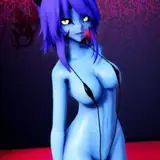
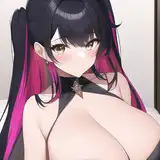
So let me tell you how I made this loop of Hex Maniac. It was quite a ride. Some details first.
- Time: 3-4 days of work ( 8 hours a day probably)
- Software: Adobe Animate CC 2019
- Frame Rate: 12 fps.
Mindset before starting:
When I decided to animate this I first thought: Alright, keep it simple, you want this done quick!
I was already working on a very complex animation that took me around 12 days for 6 seconds ( My Moika animation that will be released next month). So this being the third one of this month meant I had to tone things down a little bit. Plus I wanted to finish it before Halloween and still have some time for other things.
And it was done fairly quickly, but it wasn't an easy task haha I had to face many challenges during this animation, and I'll talk about them later.
Step 1: Main poses or Key Poses.

So I first began with the main poses for this loop. To be honest I cheated a little bit. I just draw one and flipped it horizontally. The challenge was in how to make the transition between them, back and forth.
Step 2: Breakdowns - Passing positions

In this step, I did a quick rough on how she was going to be moving. My first idea as you can tell included a witch hat. I later discarded the idea because, to be honest... I forgot about it lol.
This rough idea of the animation was a good ground for me to move forward. The timing was a bit too fast though.
Step 3: Torso clean up | Tiedown

With my previous reference, I decided to clean her torso and pelvis. I also fixed her timing to give preference to her main poses. In animation, this is called favoring a pose or holding it. So the transition is fast, but she slows down and speeds up when she is closer to her two main poses.
Step 4: Boobs!

After the torso was done I decided to animate her head and also her breasts.
I normally animate breasts after the torso is done. This is called overlapping action. They have to be animated later because they follow the main motion of her torso.
I also took the desition to make her movement more exaggerated. I am aware that it's not super realistic but I was going for more impact. It's a risk I took.
Step 5: Hair

Hair was next. And also her panties! Doing her bangs was easy since they are shorter and very symetrical. Her long hair was more difficult and to keep the main shapes I first made a symbol placeholder that I would later animate each hair tip independently.
As you can see here:

Step 6: Skirt

This was fun! I am not very good at drawing clothes and I know it. So I spent the time analyzing and studying how skirts and their wrinkles work. Plus the fact that is being pulled by her motion. It was a fun practice! And one probably not many care because they only want to see her naked haha.
Step 7: Final touches
I finally made a quick glitchy background and animated the hair on top of her head.
This is how I always work my animations. I start with very few details in the beginning but then I start adding more and more stuff until I get to the finished version that you are seing here.
I hope that you enjoyed this loop and my brief explanation on it's process.
I'll see you on the next one!