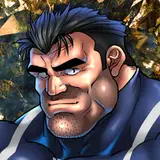
神羅の特許技術により感度3千倍のバレットが神羅謹製馬型ディルドで神羅アナルオーガズムを迎えるというシチュエーションのイラストです。
個人的な依頼にて描かせて頂きました。
実はバレットのアナル方面イラストは初!
バレットを描くならとものすごい気合を入れて、その分すごく時間がかかってしまったのですが自分でも大満足のイラストが製作できました。
特に理由はないのですが触手はとあるモンスターをモチーフにしてみました。
どのモンスターか探してみてね。(リバースにはまだ出てないです)
This is an illustration of a situation in which Barret, whose sexual sensitivity has been increased 3,000 times by Shinra's patented technology, has a Shinra anal orgasm with a Shinra horse-shaped dildo.
I drew this illustration for a personal request.
In fact, this is my first anal illustration of Barret!
I put a lot of effort into drawing Barret, and it took me a lot of time, but I was very satisfied with the illustration.
I don't have any particular reason, but I used a certain monster as a motif for the tentacles.
Please try to find out which monster it is. (It hasn't appeared in Rebirth yet.)
イラストの差分はDiscordサーバーにて閲覧できます。
ご参加の上ご覧ください。
You can view illustration diffs on the Discord server.
Please join us to view them.
To join my Discord server, please follow the steps below.
### How to Join a Patreon Creator's Discord
1. *Create a Discord account*
2. *Access the Member Account page*
- Log in to Patreon using your browser and navigate to the "Member Account" page.
3. *Go to the settings page*
- Within the "Member Account" page, proceed to the settings page.
4. *Click on the "More" dropdown menu*
- In the settings page, click on the "More" dropdown menu.
5. *Select "Connected Apps"*
- From the dropdown menu, select "Connected Apps."
6. *Link Discord*
- On the "Connected Apps" page, find the Discord option and click on the link.
7. *Link your Patreon account to Discord*
- Follow the instructions to link your Patreon account to Discord.
Once linked, you will automatically join my server on Discord.
【JPN】
私のDiscordサーバーに参加するには、以下の手順に従ってください。
1. *Discordアカウントの作成*
2 *Member Accountページにアクセス*
- ブラウザでPatreonにログインし、「Member Account」ページに移動します。
3. *設定ページに移動*
- 「Member Account」ページ内で、設定ページに進みます。
4. *ドロップダウンメニュー「More」をクリック*
- 設定ページにある「More」というドロップダウンメニューをクリックします。
5. *「Connected Apps」を選択*
- ドロップダウンメニュー内の「Connected Apps」を選択します。
6. *Discordをリンク*
- 「Connected Apps」ページでDiscordのオプションを見つけて、リンクをクリックします。
7. *PatreonアカウントをDiscordにリンク*
- 指示に従って、PatreonアカウントをDiscordにリンクします。
Discordにリンクされれば自動的に私のサーバーに参加できるようになります。
背景素材利用:アキ二号機様【https://www.pixiv.net/users/61071305】