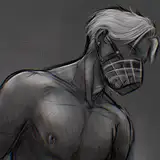
Pages 13 and 14 are going to be juicy in their plot but pages 15-21, WHEW! CHILE! Make sure you got a bucket.
So I figure I will do a page breakdown to show my process for my comics. Sometimes I draw freehand but recently I have been using models because, one, I don't have to think that much about positioning body parts, and two, I can have way more consistent characters now.
The Layout Sketch
I start with the initial sketch of the scene, where I try to do layout and placement of the characters and get the overall feel for the page. I usually place my dialogue too so as to make sure not important parts or bits of my character are covered up.
Setting Up Models
Once I have a general idea of what I want the page to look like, I place the frames on the page and move from Clip Studio Paint to Daz 3d. Daz is a 3d software catering to 3d models. They offer a base model you can use but you can go on their store and buy different models or settings to use in the program to make the models unique. They are always having a sale and that's how I got most of the tweaks I needed to make my characters.
I pose my characters in the way I sketched. Tweaking certain aspects if need be. I have a set of preset expressions I created and saved to the program that I can apply to the characters based on their mood in the scene, but you can adjust these even more for greater customization. This program is the best!
More Sketching
Once I get the characters how I like them, I do a quick render of the scene and import the picture into Clip Studio Paint and begin to sketch over it. I use nude models so I actually sketch in the clothing and facial hair for the characters in this process. Then I have a clean sketch to start inking and coloring.
To be continued...
Kuinshi
2023-06-03 13:15:45 +0000 UTC