One of the things I dislike the most in retouching is removing spots.
There's no way around it, yet it still feels like wasted time.
And censoring images, renaming them to an archive number set, and adding IPTC/Metadata to the credit model typically takes 4-5 minutes, which also feels unproductive to me.
So, last month, I went into automation mode:
I sat down and analyzed what I would like to have automated:
Not all are done at once, but done in increments at different times when prudent in the process with as little manual intervantion possible.
And I spent about two days scripting (spoiler alert, Actions can’t do what I wanted). So, for a 5-picture series, I can save at least 35 minutes.

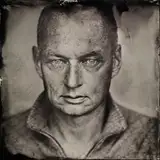
The above image shows the results (taken too far with the skin smoothing/spot removal, but then it’s an extreme image).
I’ve worked a bit more with the process, figuring out what works and what doesn’t, and I am continually refining it.
Let me mention that the above image took about five minutes to open in Photoshop, adjust everything I needed on and in it, including crediting, saving into my archival number system, and saving four versions (two different sizes, censored and uncensored).
The actual winnings show up when editing a series, though. All the file handling is about the same time regardless of whether it’s 1 or 15 images (named and numbered individually and titled sequentially in metadata and filename).
Once I’m confident I have it nailed down, I’ll share more information on the exact workings in case anyone is interested.
Thomas
2025-04-16 20:07:54 +0000 UTCEdgar M. Toro
2025-04-16 14:24:47 +0000 UTC