Exilitay GoPro Cam ReShade (Download)
Added 2024-10-21 07:11:23 +0000 UTCNew GoPro Filter For All Paid Patreon Members!
If you want the most realistic look, I recommend using 90-95 FOV in-game + the GoPro ReShade, which most closely resembles a GoPro camera. (Use the Onboarding Settings App.) However, I personally use 70-80 for the best visuals. Lower FOV is a lot clearer, but low FOV means lower motion blur, which gives you less sense of speed.
I also recommend turning off the ReShade filter when using in-game apps, as the lens distortion will make the screen inaccurate.
Also to toggle off / on apps on-screen use, CTRL + H on your keyboard
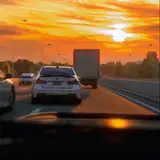
Without Filter:
 With GoPro Filter:

(In the videos & photos, I'm using 65-70 FOV)
If you need support ask for help on my Discord server
I hope to release more ReShades in the future. However, I'm currently working on ExilitayRealism v1.03!
Download & Extract folder - Instructions are inside :)
Comments
i cant find the home button when it says clicck it
ake wavy124
2025-03-27 08:00:32 +0000 UTC