How to synthesize a shrunken city 怎样合成缩小城市
Added 2023-04-11 02:32:56 +0000 UTCPlease read the FAQ first
中文版本在文章后半部分
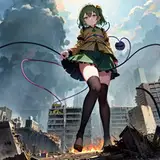
General idea: Use inpainting to draw tiny cities
First, you need to use an inpainting model. Since many checkpoint models do not provide a version specifically for inpainting, using these models directly for inpainting will be very random. Therefore, we need to create a model with stronger inpainting ability using the model merging function. First, download the clean original model v1-5-pruned.safetensors of stable-diffusion 1.5 and its inpainting model sd-v1-5-inpainting.ckpt, and put them all into the Stable-Diffusion folder.
Open the stable-diffusion webui, click on the Checkpoint Merger tab, select the sd-v1-5-inpainting.ckpt as model A, select the model you want to create as model B (for example, AOM3A1B), and select v1-5-pruned.safetensors as model C. Select Multiplier 1 and Add difference for the interpolation method.
Why do this? You can see that the model produced is actually A + M * (B - C) = A + (B - C), where A is a clean base model with inpainting capability, and B - C is the part of the B model that is unique after removing the original model. By adding the unique part into the inpainting base model, a specific model with inpainting functionality is obtained.
How to draw a shrunken city using inpainting:
In img2img, selecting inpainting and choose only masked. Use the Miniature world style 微缩世界风格 model.
Note that this is the LyCORIS LoHa model, which requires the use of either the sd-webui-locon or sd-webui-lycoris plugin. The former is used in the same way as the regular LoRa model, while the latter is changed to <lyco:Model:Weight>. If the inpainted city is too small or feels too independent from the overall picture, consider enlarging the mask for inpainting.
After inpainting the city, you can use img2img to further refine the details (using ControlNet to control the overall image and preserve the small city), and then do the high-res fix.
---------- 中文 -----------
原理:利用局部重绘定点绘制
首先需要使用制作局部重绘模型:由于很多 checkpoint 大模型没有提供专门用于局部重绘的版本,直接使用这些模型来重绘会非常的随机和抽奖。所以一般利用模型合并功能自己制作一个重绘能力相对更强的大模型。
首先下载 stable-diffusion 1.5 的干净原模 v1-5-pruned.safetensors 以及其局部重绘模型 sd-v1-5-inpainting.ckpt, 都放入 Stable-Diffusion 文件夹中。
打开 stable-diffusion webui,点击 Checkpoint Merger 选项卡, A 模型选择 sd-v1-5-inpainting.ckpt, B 模型选择你想要制作的模型(比如这里用 AOM3A1B),C 模型选择 v1-5-pruned.safetensors。
Multiplier 选择 1,插值方式选 Add difference。
为什么要这样做?
可以看到做出来的模型其实是 A + M * (B - C) = A + (B - C),A 为干净的具有重绘能力的底模,B - C 为除去原始模型后 B 模型特有的部分,把特有的部分叠加到重绘底模上就得到了具有重绘功能的特有模型。
怎样定点绘制缩小城市:
图生图选择局部重绘,选则仅蒙版,配合 Miniature world style 微缩世界风格 模型
注意这是 LyCORIS LoHa 模型,需要配合插件 sd-webui-locon 或者 sd-webui-lycoris 使用,前者与普通 LoRa 模型用法一致,后者改为 <lyco:Model:Weight>如果重绘出的城市太小/感觉与画面过于独立,可以考虑把重绘的模板扩大。
重绘出城市后,可以用图生图再次修细节(用 ControlNet 控制住整体的图,保留住重绘出的城市),然后再高清修复。