Allister TUTORIAL PART ONE - Screenprinting
Added 2019-12-17 15:46:24 +0000 UTCHey guys! Today I will be showing you my process on how I made my Allister cosplay from Pokemon Shield. I started this cosplay quite sometime ago but finally had the motivation to finish it off!
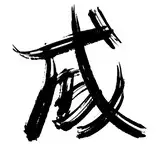
First thing I did was grab ALL THE SCREENSHOTS. I needed all the references for the symbols on this kid, I then traced over them and tried to make the designs as accurate as possible.


Next was finding a place to print off the clothing! My personal favorite place is https://www.artscow.com/ they usually also have coupons so make sure to use them!!
For Artscow though you are going to need to place these vectors I made onto an image that will fit the layout of their shirts

Not to worry though cause I have those files for you as well!
Shirt:
 Shorts right:

shorts left:

Shorts right BACK:

Shorts left BACK:

Right sleeve

Left sleeve

Collar/Shirt back:

You may need to do small adjustments in the actual page on artscow but everything is now placed for you already!!
Once you are done putting the images into their places they will give you a preview image, make sure you like how it looks and if everything is okay go ahead and have it sent off to be printed!


For my own Allister cosplay I chose to make it a T-Shirt, that way I could make the sleeves long and baggy like his design but you do whats easier for you, you could order a long sleeve if you wish!
If you have any questions about this process PLEASE do ask <3.