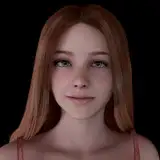
Juno DP .blend file
Added 2024-09-11 17:39:50 +0000 UTC
Made with Blender 4.1.1, it will not work with older versions of Blender. Not tested with 4.2.
You need the Diffeomorphic 4.1.0 and MHX 4.1.0 addons enabled. I use the Animation Layers addon, and the Screen Space Global Illumination for Blender Eevee build.
Select Juno's mesh or rig and use the CloudRig tab to control her appearance (if the tab is missing, you need to go into the Scripting tab and run the cloudrig.py file). To control the male skin shader or change the skin color, you need to select the Male Mesh object and go under the Item > Properties tab.
Physics are baked in, using the default physics that came with Juno's model. Both male models have a collision mesh that is hidden by default. Beard and hair mesh is also hidden from the viewport due to performance.
Juno model by Dzooworks
Map by ubermachine
In case you have pink textures, go in File > External Data > Find Missing Files and choose the textures folder that came with the download!