Photoshop: Improve the quality of your images easily.
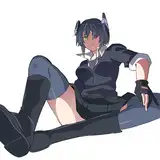
Added 2023-02-28 10:46:07 +0000 UTCIn this tutorial, we will learn how to retouch an AI generated image with Photoshop. The goal is to make the image more spectacular and increase the details.

First, we will open our AI-generated image and go to the
"filter">"Camera Raw Filter..."

We are going to increase the contrasts, decrease the highlights, increase the shadows, decrease the whites, increase the blacks.
We are also going to add texture and greatly increase the Clarity. It is possible to increase the Dehaze if the image is too bright.
As we increased the contrast, it often happens that the colors become too powerful. This is why it will be necessary to decrease the vibrance or the saturation (in this case, it is the Vibrance).

You can see a clear difference between before and after treatment. Your image is more contrasted and the details stand out much more.
This is an example, but you can play around with the settings depending on your image and its light.