(English translation is at the lower part of the page.)
LUT (ルックアップテーブル、カラープリセット) による画面エフェクトを適用します。HMD、Camera2、CameraPlus のそれぞれ個別カメラに対して独立した指定が可能です。
NalulunaModAssistant に NalulunaLutSamples というサンプルのプリセットを用意しているので一緒にインストールしてください。
カスタムプリセットの作り方は、通常の LUT と同様です。UserData\NalulunaLut にある _Neutral.png (補正なしのニュートラル状態のプリセット) を画像処理ソフトで開き、好みのレベル補正、トーンカーブを適用して保存すると、その補正が入ったカスタムプリセットとなります。
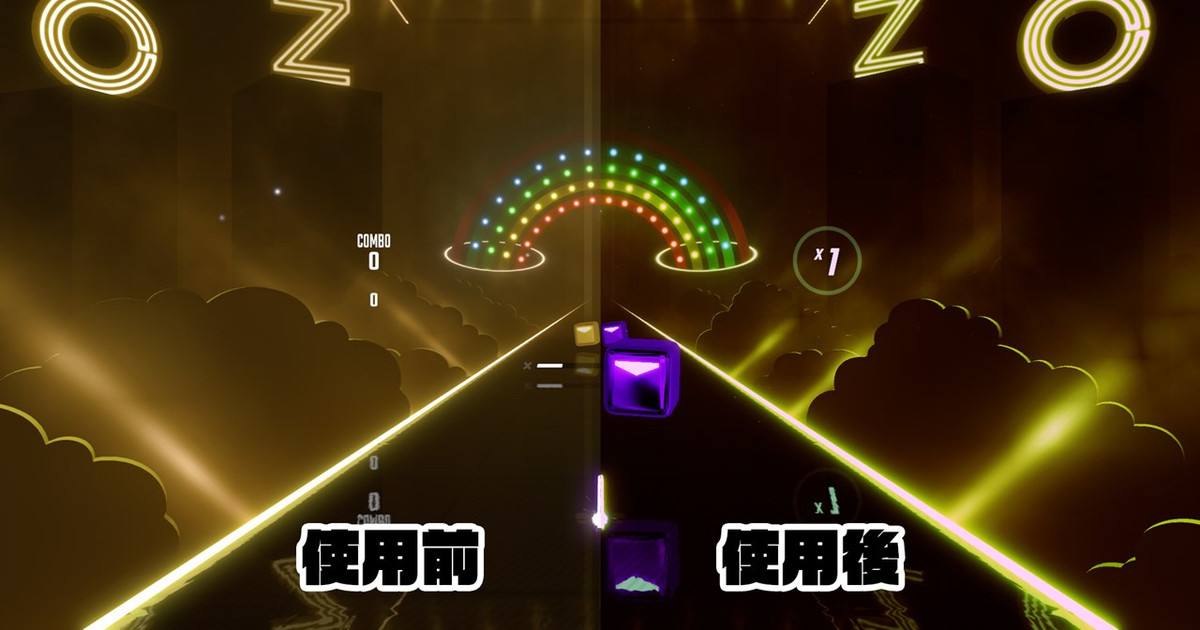
LUT とは LUT とはルックアップテーブルの略で、カラーグレーディングと言われる色調補正をかける手法の一つです。NalulunaLut では下記のような 256x16 の LUT を使用します。ちなみに、Skyrim などで使用される ENB の LUT も同じ形式です (NalulunaLut では画像は bmp ではなく png にしてください)。 LUT を作成する...
(画面左)
Mod Enabled
この mod の有効/無効
Keyboard Shortcut
Shift + カーソルキーで選択しているカメラの LUT 切替
Shift + PageUp、PageDown で LUT オンオフ
* キーボードショートカットは Beat Saber のウィンドウがアクティブでないと反応しません
Show Prompt
上記のキーボード操作を行ったとき、現在の設定を画面表示します
(画面中央)
LUT を適用する HMD またはカメラを選択
(画面右)
LUT タブ
適用する LUT、強さ
On Miss タブ
ミスしたときに LUT エフェクトを発生させる
StartAmount: 開始時点の LUT 強さ
StartDuration: Middle に達するまでの時間
MiddleAmount: 中間の LUT 強さ
MiddleDuration: MiddleAmount を維持する時間
EndAmount: 終了時点の LUT 強さ
EndDuration: Middle から終了までの時間
NalulunaModAssistant でダウンロード可能です。
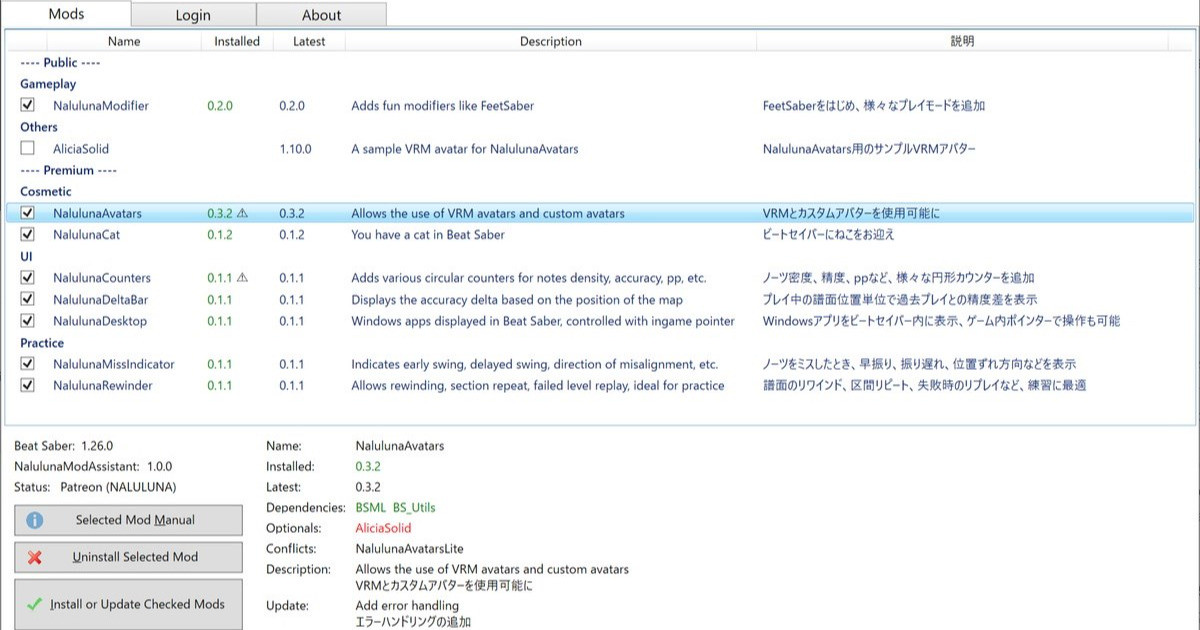
支援者様に公開しているわたしの mod の管理ツールです。mod のインストール、アンインストールや、更新内容の確認が可能です。mod のインストールは、支援中の Fanbox または Patreon アカウントでのログインが必要です。 今後、わたしの mod の配布や更新はこのツールを通して行います。まだわたしの mod 全部が登録さ...
----
This mod provides screen effects with LUTs (look-up tables, color presets) that can be specified for HMD, Camera2, and CameraPlus.
Please install the sample presets called NalulunaLutSamples together with NalulunaModAssistant.
The way to create your own custom preset is the same as for a typical LUT: open the _Neutral.png file in UserData\NalulunaLut, apply the desired level corrections and tone curve, and save the file. It's your custom preset with those corrections.
(Left Screen)
Mod Enabled
Enable/Disable this mod
Keyboard Shortcut
Shift + cursor keys to switch LUT for selected camera
Shift + PageUp, PageDown to turn LUT on/off
* Keyboard shortcuts only work when the Beat Saber window is active.
Show Prompt
When the above keyboard shortcut is pressed, the current settings are displayed on the screen.
(Center Screen)
Select the HMD or camera to which the LUT will be applied
(Right Screen)
LUT tab
LUT to be applied, strength
On Miss Tab
Triggers LUT effect on misses
StartAmount: LUT strength at Start
StartDuration: Time to reach Middle
MiddleAmount: LUT strength at Middle
MiddleDuration: Time to keep MiddleAmount
EndAmount: LUT strength at the end
EndDuration: Time from Middle to End
Available for download with NalulunaModAssistant.
支援者様に公開しているわたしの mod の管理ツールです。mod のインストール、アンインストールや、更新内容の確認が可能です。mod のインストールは、支援中の Fanbox または Patreon アカウントでのログインが必要です。 今後、わたしの mod の配布や更新はこのツールを通して行います。まだわたしの mod 全部が登録さ...
Loloppe
2023-07-21 17:11:58 +0000 UTCなるるるるな / NALULUNA
2023-07-19 15:49:17 +0000 UTCLoloppe
2023-07-19 04:47:47 +0000 UTCなるるるるな / NALULUNA
2023-01-25 14:38:54 +0000 UTCLoloppe
2023-01-22 23:57:56 +0000 UTC