(English translation is at the lower part of the page.)
ノーツから飛び出すカットスコアに、カット前角度、カット後角度、セイバーの振りがノーツ中心からどの方向にずれていたのか、を表示します。
NalulunaSliceVisualizer などでノーツのカットラインを出しても、プレイ中はなかなか見る余裕がないので、なんとかどちらかにずれたかだけでも瞬間的にわかるような形を目指しました。
カットスコア右の半円
カット前角度点を表し、満点 (通常ノーツは 70 点) のときは白色の表示になります。満点でないときは、不足している割合が右上から赤色に、それ以外の部分が灰色になります。
カットスコア左の半円
カット後角度点を表し、満点 (通常ノーツは 30 点) のときは白色の表示になります。満点でないときは、不足している割合が左下から赤色に、それ以外の部分が灰色になります。
カットスコア外周
中心カットスコアを表し、満点 (通常ノーツは 15 点) のときは 〇 が表示されます。満点でないときは、ずれていた方向に対して >>>> の矢印が表示されます。ずれていた距離 (点) によって > の数が変わります。
11-14: > (黄)
6-10: >>
1-5: >>>
0: >>>> (赤)
Mod Enabled
この mod の有効/無効
Disable Default Flying Score
デフォルトのカットスコアを無効化します。デフォルトのカットスコアを置き換える形の mod も無効化されます。
Scale
カットスコアの大きさ
Target Offset Y
カットスコアの表示される高さ
Fade Animation
カットスコアのフェードアウトの仕方
Number
カットスコア (0-115) を表示するか、中心点 (0-15) のみ表示するか
Reverse Cut Distance Arrows
中心点を表すカットスコア周囲の矢印 (>>>>) の方向を逆転させます
Disable Center Distance Circle
中心点が最大 (15) のときに表示される円を消します
Disable Center Distance Arrow
中心点を表すカットスコア周囲の矢印を消します
Hide Before/After Cut Circle on Max Angle
角度点が最大 (70 / 30) のときは半円を表示しません
Disable Before/After Cut Circle
角度点を表すカットスコア左右の半円を消します
色を変えたい人は NalulunaCutScore.json を編集するといいかも。
[Reset] を押すと色を含めてすべての設定を初期化します。
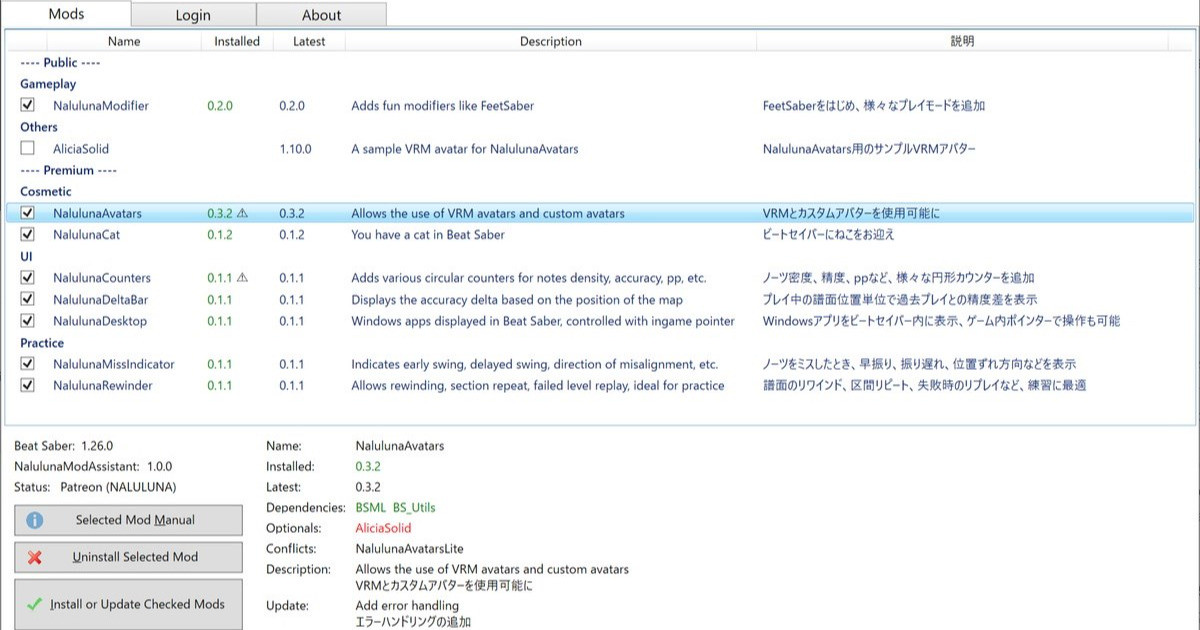
NalulunaModAssistant でダウンロード可能です。
現在対応しているビートセイバーバージョン: Beat Saber versions currently supported: 1.29.1, 1.34.2, 1.37.1 1.39.1 (ほとんど対応、現在対応作業中 Mostly supported. Work in progress) 1.40.6 (一部対応、現在対応作業中 Partially supported. Work in progress) 1.29.1, 1.34.2, 1.37.1 は、ストアの機能で選択...
----
The before-cut angle, the after-cut angle, and the center-cut distance are displayed on the cut score that pops up from the notes. It shows the direction in which the saber trajectory was shifted from the center of the notes.
Even if NalulunaSliceVisualizer displays the cut line of the notes, there is no time to look at it while playing, so I aimed for a display that allows you to instantly see just which way the cut line was shifted.
Half circle on the right of the cut score
The half circle on the right of the cut score indicates the angle point before the cut. When the cut score is perfect (70 points for a normal note), it is displayed in white. If the score is not perfect, the missing percentage is shown in red from the upper right corner, and the rest of the angle is gray.
Half circle on the left of the cut score
The half circle on the left of the cut score indicates the angle point after the cut. When the cut score is perfect (30 points for normal notes), it is displayed in white. If the score is not perfect, the missing percentage is shown in red from the lower left corner, and the rest of the angle is gray.
Cut Score Perimeter
The cut score perimeter indicates the center cut score (distance). When the score is perfect (15 points for normal notes), it is indicated by 〇. If the score is not perfect, arrows (>>>>) are displayed in the direction of the deviation. The number of ">" will change depending on the distance (point) of the deviation.
11-14: > (yellow)
6-10: >>
1-5: >>>
0: >>>> (red)
Disable Default Flying Score
Hides the default cut scores. The mods that replaces the default cut scores are also disabled.
Scale
Cut score scale
Target Offset Y
Height at which the cut score is displayed
Fade Animation
How to fade out a cut score
Number
Whether to display cut score (0-115) or only the center-distance score (0-15)
Reverse Cut Distance Arrows
Reverse the direction of the arrows (>>>>)
Disable Center Distance Arrow
Disables the arrows (>>>>) that represent the center distance
Disable Before/After Cut Circle
Disables the semicircles on the left and right of the cut score that represent the angle points
If you want to change the colors, you may want to edit NalulunaCutScore.json.
Note that pressing Reset will initialize everything, including colors.
Available on NalulunaModAssistant.
現在対応しているビートセイバーバージョン: Beat Saber versions currently supported: 1.29.1, 1.34.2, 1.37.1 1.39.1 (ほとんど対応、現在対応作業中 Mostly supported. Work in progress) 1.40.6 (一部対応、現在対応作業中 Partially supported. Work in progress) 1.29.1, 1.34.2, 1.37.1 は、ストアの機能で選択...